What Is an Image Stretcher?
ImageStretcher
What an image stretcher is, when independent width and height beat uniform resize, and how to stretch privately in your browser.
An image stretcher changes width and height as two separate edits. A uniform resize keeps the picture's proportions, so a circle stays a circle. Stretching is the edit that is allowed to disagree with itself: one side of the bitmap can grow while the other stays put, or shrinks, until the file fills a frame the camera never shot.
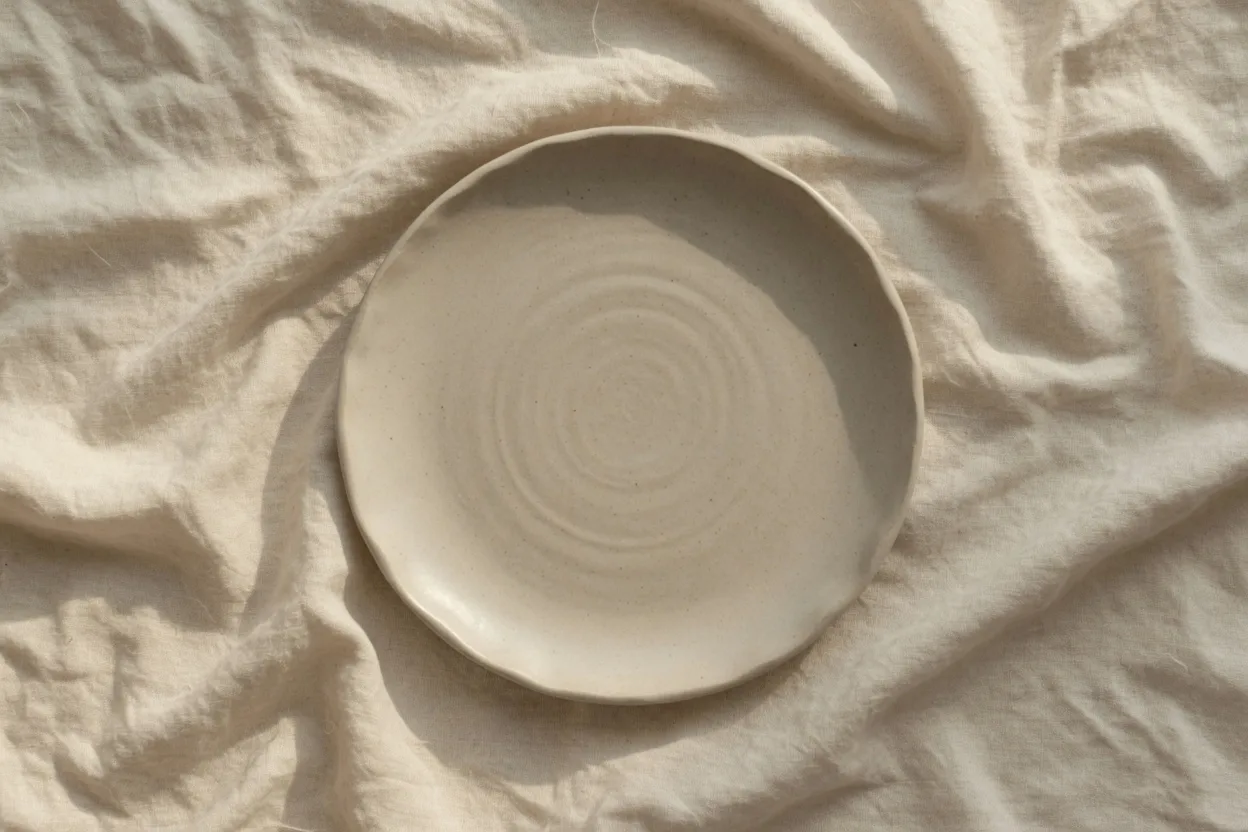
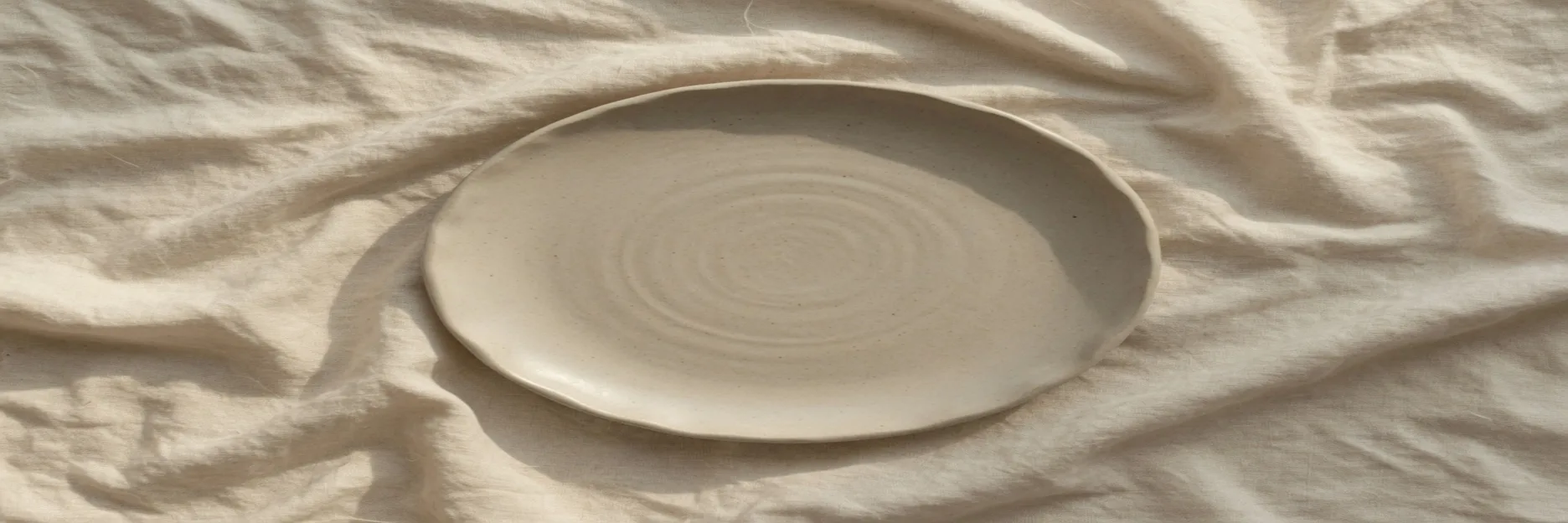
The plate below is the argument. It is one photograph, 1248×832, of an empty stoneware plate on linen. Nothing on it is type. The only geometry that matters is the rim.
People also type photo stretcher and picture stretcher. Those names are looking for the same independent-axis job. On this site the image tool lives on the home page, and the photo wording has its own page at photo stretch. Both paint with the same canvas. Neither one invents pixels that were not in the file you opened.
The lock is what makes it a resize
Most resize controls ship with a chain. You type a new width and the height follows, or you type a height and the width follows. Circles stay round. Faces keep the proportions the lens recorded. That chain is what you want for a thumbnail, an email attachment, or any file that should look like a smaller copy of itself.
A stretcher is that same control with the chain off. In ImageStretcher the chain is the Aspect row. Free is the choice that lets Width and Height stop agreeing. While a named ratio is selected, the two fields stay proportional, which is a resize even if the numbers look large. Free is the point where the tool becomes a stretcher.
There is a second pair of numbers, under Stretch factors. Horizontal multiplies the width you already have. Vertical multiplies the height. They are locked together until you turn on Unlock stretch ratio. That label is the factor lock, not an aspect lock. Choosing Free does not flip it, and flipping it does not select Free. A pass that actually stretches uses both ideas: Free so the pixel box may be any shape, and the factor lock off when you want to drag one multiplier without dragging the other.
On the home page tool the order is short.
- Drop the plate, or any PNG, JPEG, or WebP, onto the canvas.
- Under Aspect, choose Free.
- Set Width and Height to the box you have to fill.
- If you would rather type multipliers, use Horizontal and Vertical under Stretch factors.
- Turn on Unlock stretch ratio when those two multipliers are still tied.
- Download once the preview shows a distortion you meant.
The live canvas is the instrument. Export is just the file that matches the preview. PNG keeps the resampled samples without another lossy pass. JPEG is the smaller file, with the quality slider. WebP sits between them. None of those choices put the missing proportions back.
A circle is the proof
A rectangle of linen can hide a mild stretch, because cloth has no honest shape. A plate cannot. On the 1248×832 source the rim's bounding box measures 515 pixels wide and 512 tall. The handmade edge is a few pixels off a compass circle, which is why those two numbers are not identical. They are close enough that your eye calls the plate round.
The same pixels, remapped:
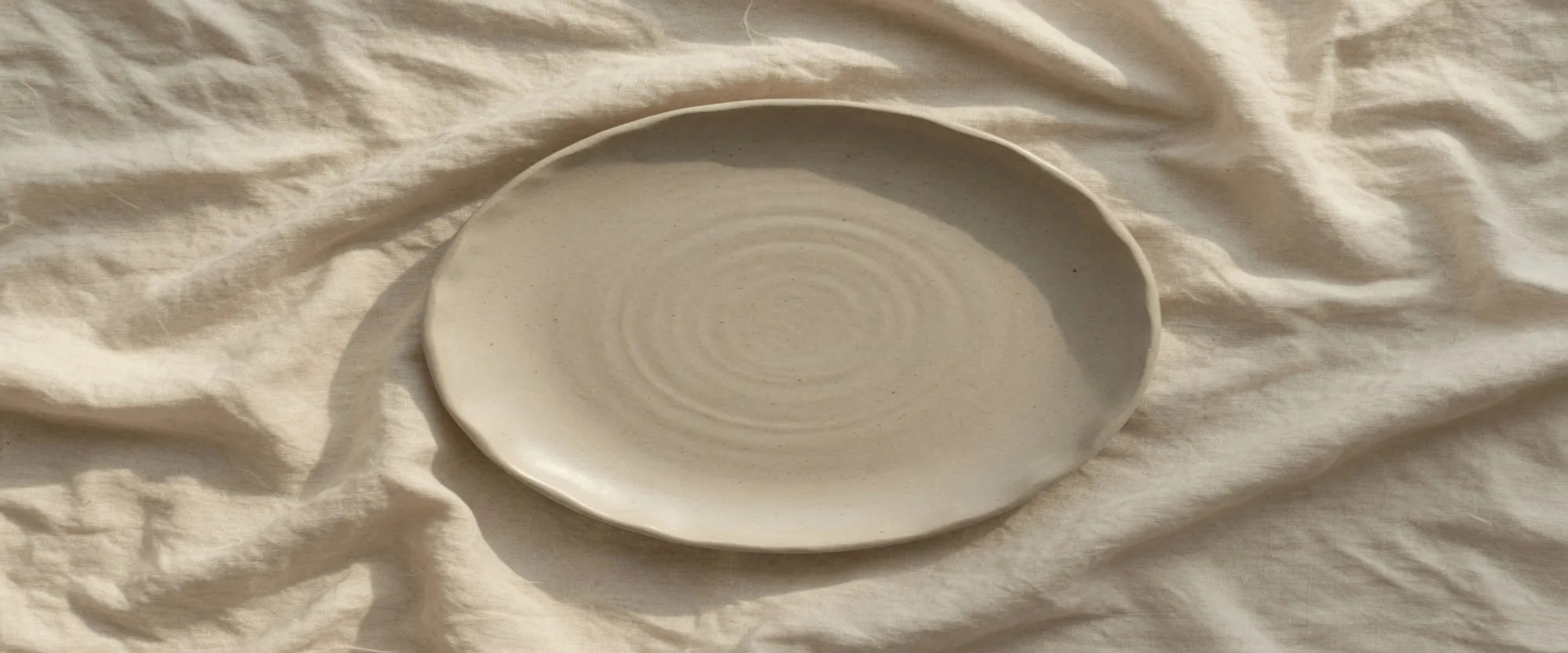
The middle file is 1997×832. Width was multiplied by 1.6 and then rounded, because 1248 × 1.6 is 1996.8. Height stayed 832. The plate travels with the file: 515 × 1997 / 1248 is 824 pixels across, and the 512 pixels of height are still 512, because that side of the canvas was not given a new count. The spiral that was a circle is a horizontal ellipse. The linen wrinkles stretch with it. Nothing was cropped off the left or the right. The whole table is still in the frame, just wider than the lens recorded.
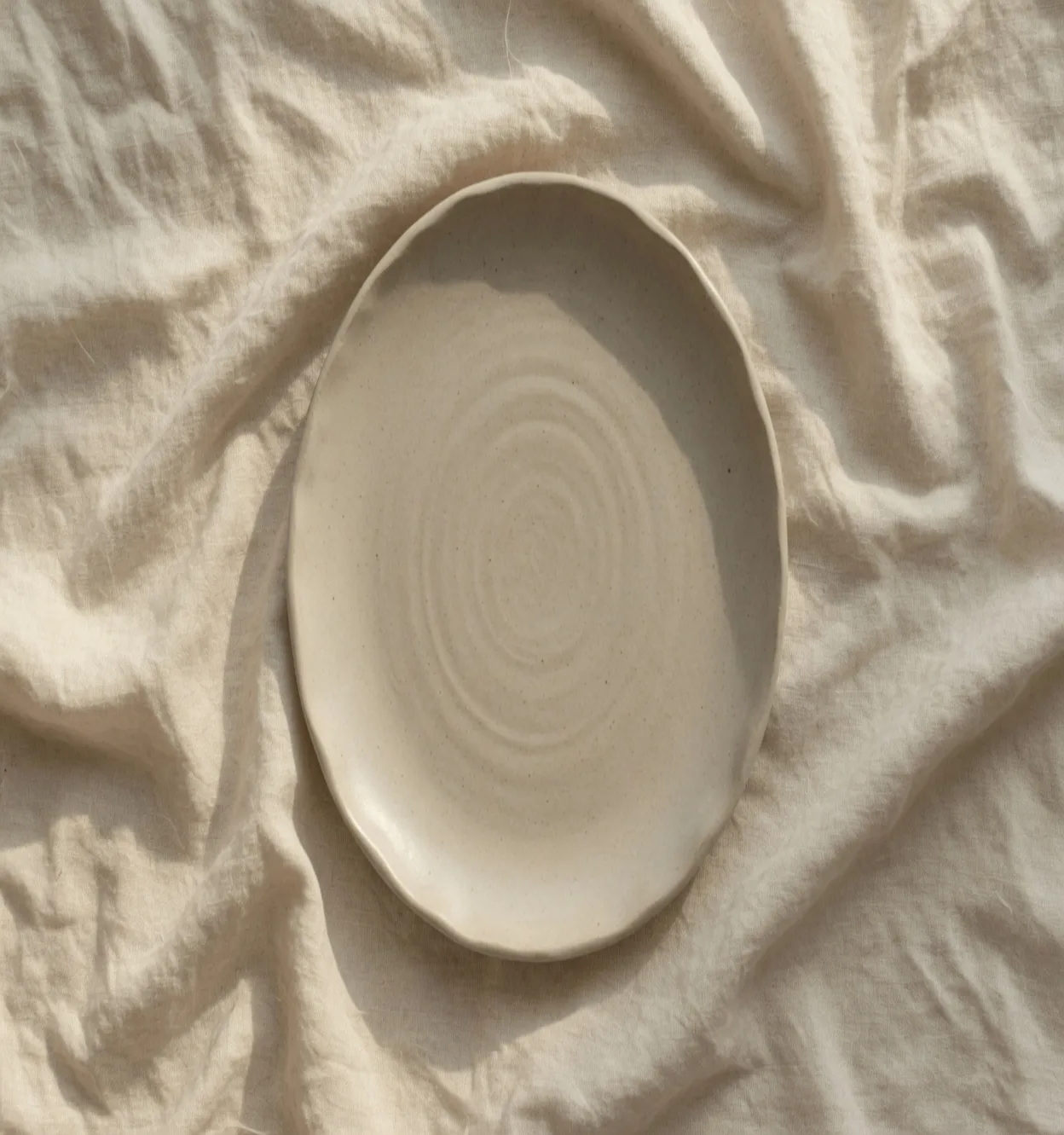
The right-hand file is 1248×1331. Height was multiplied by 1.6 and rounded, because 832 × 1.6 is 1331.2. Width stayed 1248. The plate's height becomes 512 × 1331 / 832, which is 819. Its width stays 515. Same bitmap, other axis. A crop into a tall slot would have thrown the left and right linen away. This file keeps them, and pays for that by making the plate oval.
That pair is the definition. If both axes move by the same factor, you resized. If one axis moves and the other does not, you stretched. The words photo stretcher and picture stretcher do not change the test.
Two axes, written as pixels
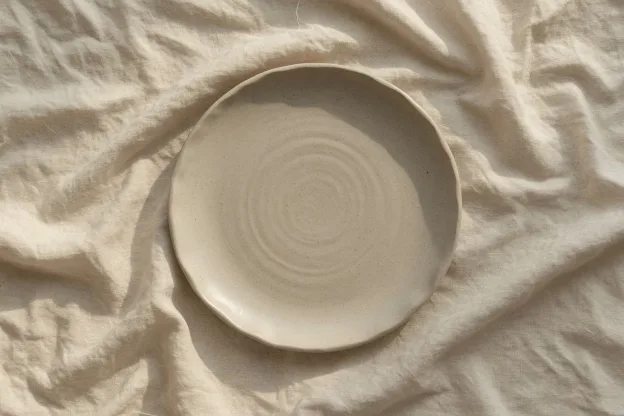
Half of both axes is still a circle. The file below on the right is 624×416, which is exactly half of 1248 and half of 832. The plate's box halves with it, 258 by 256. It looks smaller. It does not look stretched. Uniform scale is the chain doing its job, including when you do it by hand with Width and Height kept in the same ratio.
The canvas paints that with smoothing quality set to high. High smoothing only decides how a source sample is blended into a destination pixel. It does not extend the table, invent a second plate, or restore a circle after you have asked for an ellipse. The sample count of the scene is whatever you opened. Stretching changes the address of those samples.
A destination that is both wider and shorter is still one remap. The flat file further down is 1872×624. 1872 / 1248 is 1.5, and 624 / 832 is 0.75, so the box is exactly 3:1 and both numbers moved. You do not need a separate "banner mode" for that. Free, then those two pixel counts, is the whole operation.
This is also why an expander is a different tool. AI image expand paints new samples into a margin so the original plate can stay round inside a larger frame. A stretcher refuses that offer. Every destination pixel is a sample that already existed, moved closer together or farther apart. If the brief says the rim must stay circular and the frame must still grow, you want the expander, or a crop. You do not want Horizontal at 1.6.
The samples move apart
A small disagreement hides at the size of a card. The 1.6-wide plate is obviously oval if you look for the spiral, and it is still a plausible plate if you only glance. Catalog slots and cover strips often live in that band: the container's aspect is wrong, empty bars are not allowed, and a light elongation is cheaper than cutting the product off.
Push the same file until the frame is a banner and the cost stops being polite. 1872×624 is 3:1. The plate's box becomes 515 × 1.5 by 512 × 0.75, 773 by 384 once the half pixel is rounded. The spiral is a flattened oval. The shadow under the rim, which was a soft crescent, is a long smear. That smear is not a filter. It is the same shadow, with its pixels given new spacing. Preview is where you decide the smear is the design or a reason to stop.
Faces and lines of type fail earlier than a plate, because you already know their shape by heart. The recovery for that failure is not a cleverer stretch. It is to lock the ratio, crop to the subject, or grow the canvas with new pixels. The plate stays on this page because it makes the axis split visible without asking you to judge a person.
Image stretcher, photo stretcher, picture stretcher
Search boxes treat the three names as one question: how do I set width and height independently. The picture does not care which noun you used. A photo of a plate and a PNG of a diagram go through the same draw. The output size is the size you typed. The distortion is the ratio of those two sides to the sides you started with.
The home page is where image stretcher is the job, including a batch of files that must share one box. Photo stretcher is the same paint aimed at a photograph, with its own URL so the two queries do not have to share a title. A picture stretcher, in ordinary speech, is not a third algorithm.
What does leave the machine is optional, and it is not required to stretch. Opening a file, dragging Width, and downloading stay in the browser. The longer account of which clicks upload a copy, and which never do, is how stretching stays on your device.
Leave the circle alone
Use the stretcher when the destination aspect is wrong and you are required to keep the whole picture. The 3:1 plate is that case: a crop to the banner would have kept a strip of linen and lost the rim, and a locked resize would have left bars or a tiny plate in the middle of a wide slot.
Leave the circle alone when the circle is the point. A logo, a clock face, a coin, a wheel, an avatar, anything whose outline a stranger will check against memory, wants the chain on. The comparison of stretch, uniform resize, and crop, including the order to ask the questions in, is Stretch vs Resize vs Crop. This page only had to show the split: 515 by 512 on a 1248×832 file, then 824 by 512, 515 by 819, and 773 by 384, from the same pixels.