Stretch vs Resize vs Crop
ImageStretcher
Stretch vs resize vs crop on one 1248×832 photograph: uniform scale, a 9:16 crop, and a remap into that same box.
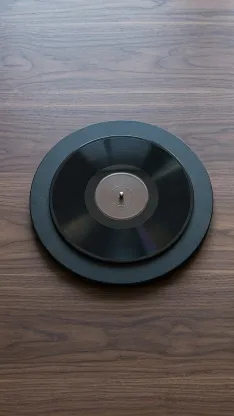
Resize, crop, and stretch get treated as one slider. They are three different edits, and they do not undo each other. The photograph under this paragraph is the only source. It is 1248×832. A blank record sits on a small platter, a kraft sleeve stands at the left, and a pair of unmarked headphones sits at the right. Later files on this page are that photograph scaled, cut, or remapped.
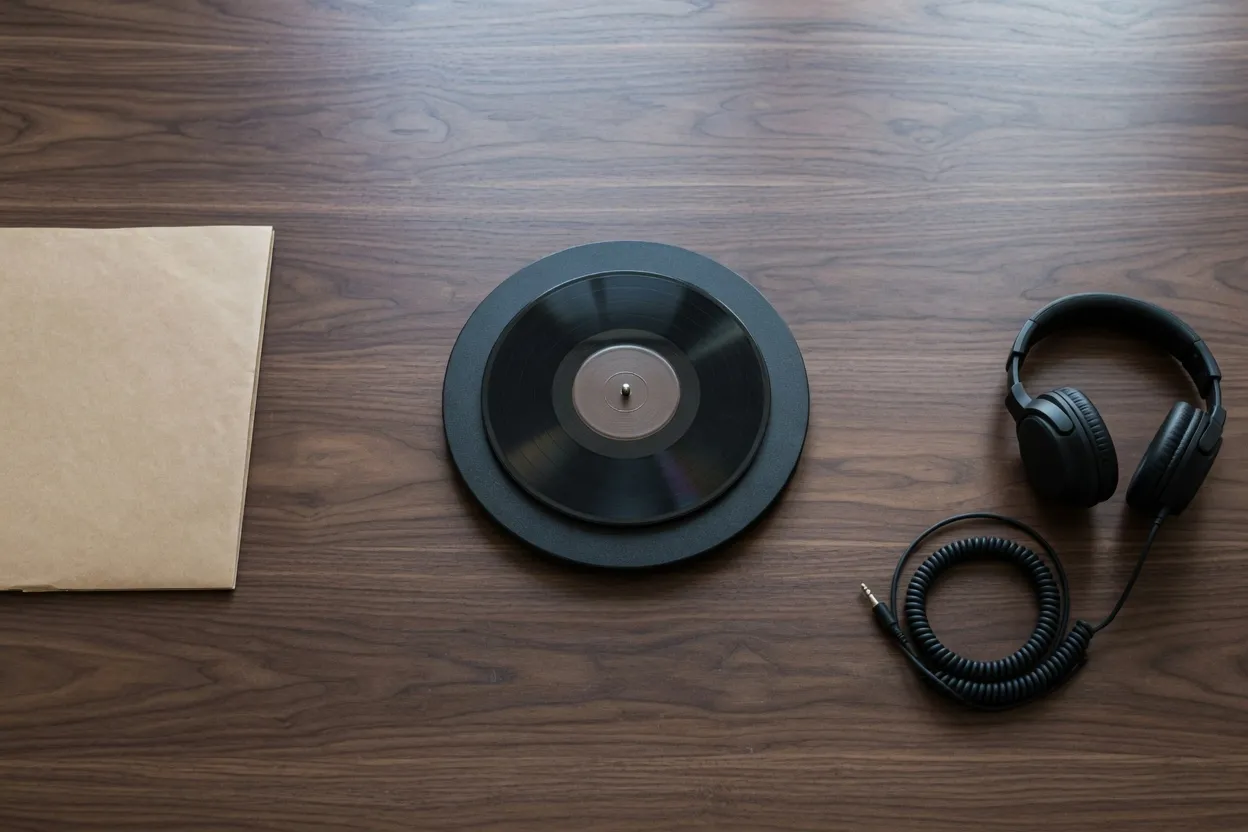
One photograph, three files
A resize multiplies width and height by the same number. The record stays a circle because both axes moved together. The sleeve is still on the left and the headphones are still on the right. You have a larger or smaller copy of the same arrangement.
A crop keeps a rectangle and discards the rest. The pixels inside that rectangle stay at the scale they had, so the record stays a circle. The sleeve and the headphones are simply not in the rectangle anymore. Crop cannot invent the width it threw away.
A stretch draws every source pixel into a width and a height that do not share one scale. Nothing is deleted. The record stops being a circle, and the sleeve and the headphones are still in the frame, pulled with the table.
The crop and the stretch below share one 9:16 box, 468×832. The resize files are not that box. Two of them are the same 3:2 photograph at half size and at one and a half times. The third sets that photograph inside the 9:16 box without warping it, which leaves gray above and below.
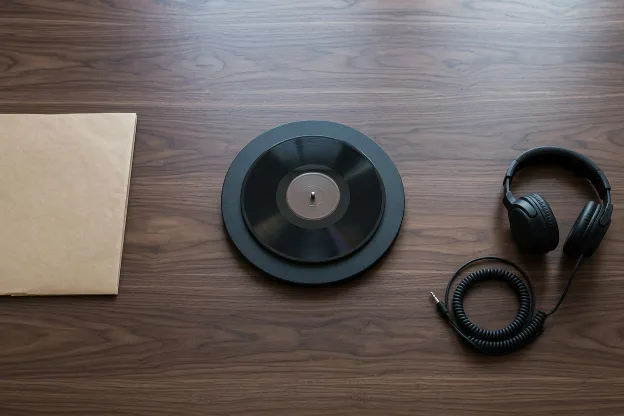
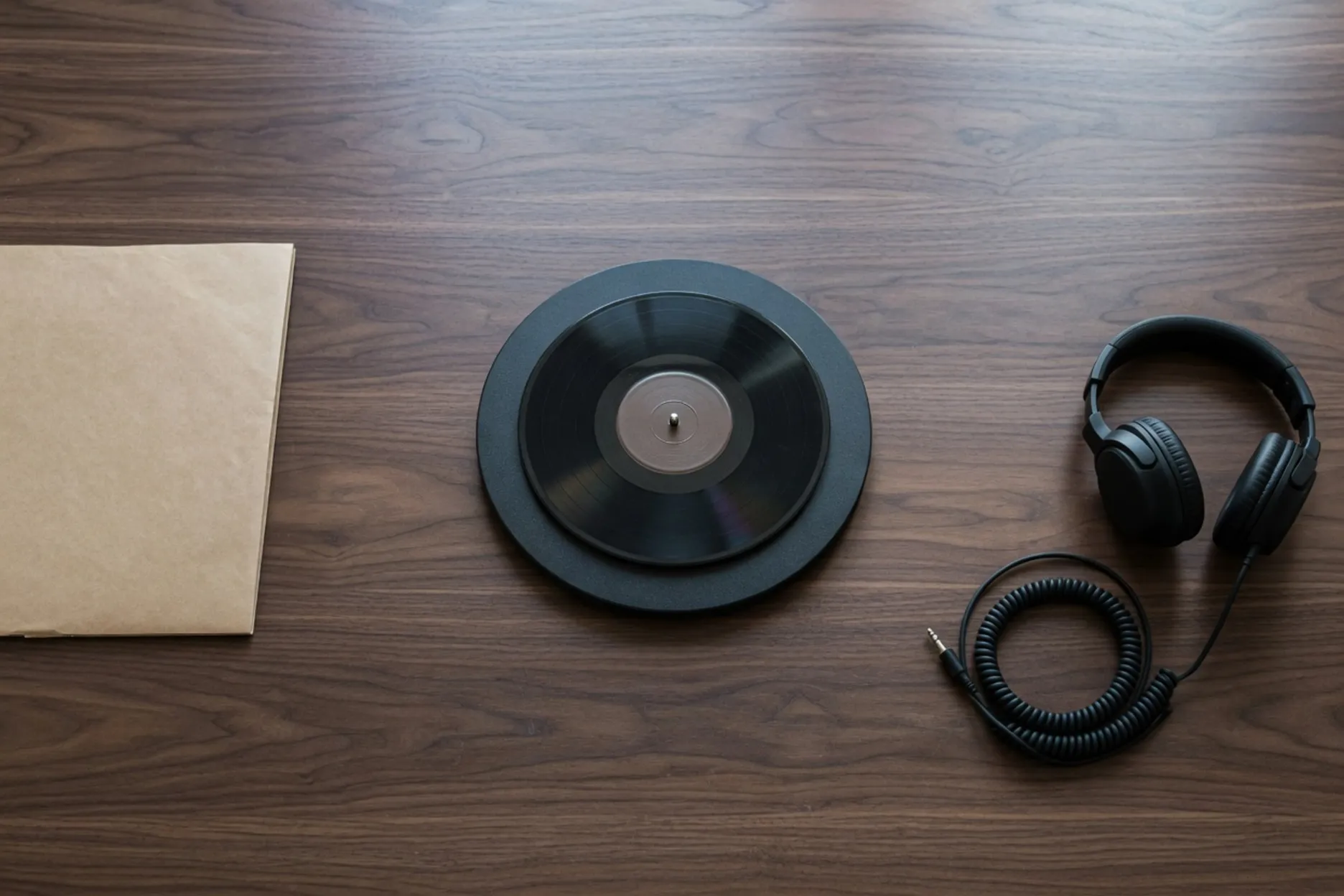
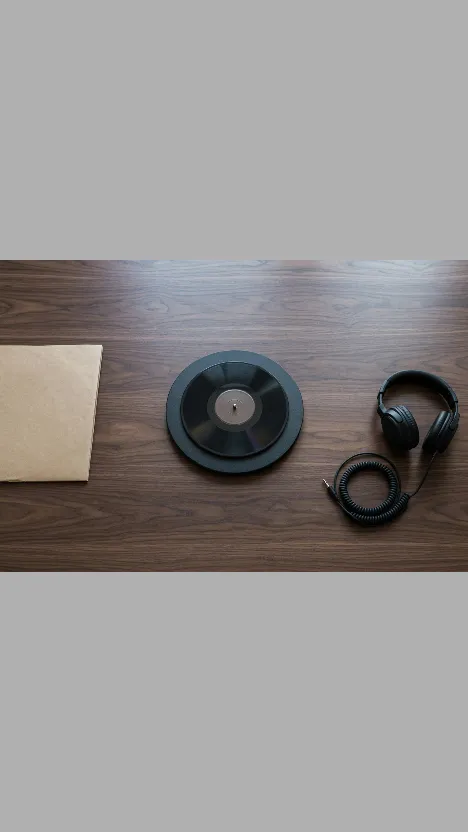
Half size and the larger copy are the resize people mean by “make it smaller” or “make it larger.” The gray frame is what that same uniform scale does when someone asks it to become 9:16. It refuses to change the shape, so the extra height is empty. Those bars are not a crop and they are not a stretch.
Crop throws the sleeve away
The 9:16 crop is 468 pixels wide and 832 tall, taken from x=383 through x=851 on the source. The sleeve ends near x=252, so the window starts 131 pixels to the right of it. The headphones sit past x=851. What remains is the record, the platter, and the table above and below them.
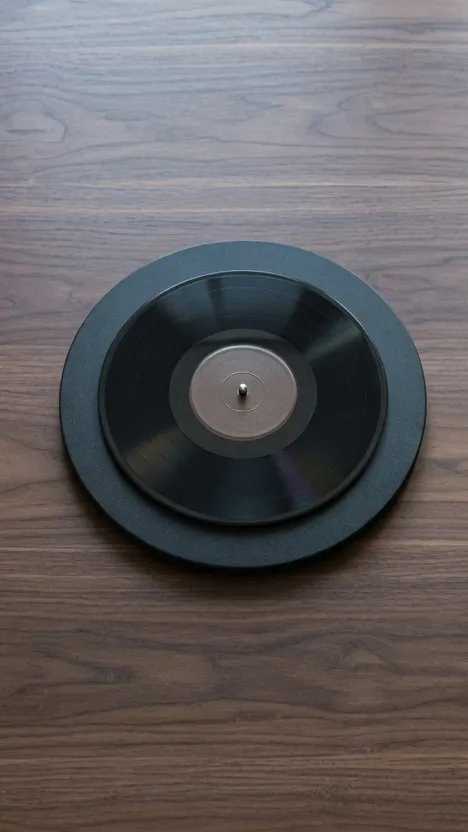
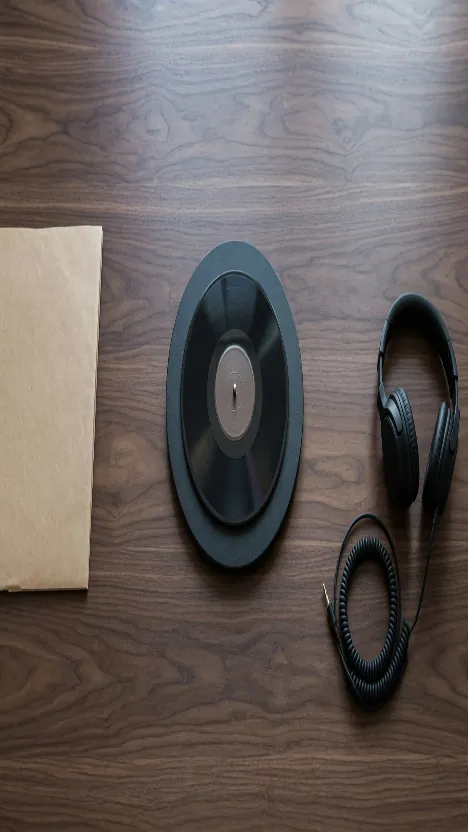
The two files share a pixel size, which is why the frames match and the record does not. The crop paid for the circle by losing the sleeve and the headphones. The stretch paid for those objects by giving up the circle. A uniform resize, shown in the gray frame above, paid for the circle by leaving 260 pixels of #B0B0B0 at each end. Same destination shape, three different bills.
That crop is the one to reach for when the problem is framing: too much table, an object at the edge that the slot will not show, a subject that has to stay the shape the camera recorded. The crop tool does the cut on its own page. Stretching the bad framing only warps it.
Stretch fills that same box
The stretch file is the whole 1248×832 photograph, not a slice. Width scale is 468/1248 = 0.375. Height scale is 1. Circles become tall ellipses, the sleeve gets narrower, and the headphone cable gets narrower with it. Every edge of the source is still an edge of the output.
Use that when the box has to be full, empty bars are forbidden, and the warp is acceptable. Banners, story slots, and tiles that were never a portrait of a round object live here. A record, a logo, a face, or a line of type is the case where the ellipse is the mistake. Filling a wide or tall slot while keeping every edge, which is this stretch rather than the crop beside it, is how to stretch an image without cropping.
Choosing a named ratio on the stretcher locks the two sides together: width stays the source width and height is rewritten, or the other way around when you set height. Free under Aspect is the control that leaves Width and Height independent. Unlock stretch ratio is a different control. It appears on the stretch-factor button only after Horizontal and Vertical have been locked, and it puts those two factors back on separate sliders. It leaves the Aspect preset alone.
Crop first, then resize or stretch
Jobs rarely stay on one verb. The square below is a 480×480 cut from x=377, y=200. The record is still a circle. The sleeve and the headphones were never in that square, so no later step can put them back. Scaling that square uniformly makes a smaller circle and still no neighbors. Drawing that square into the 468×832 story makes an ellipse, and the neighbors stay missing.
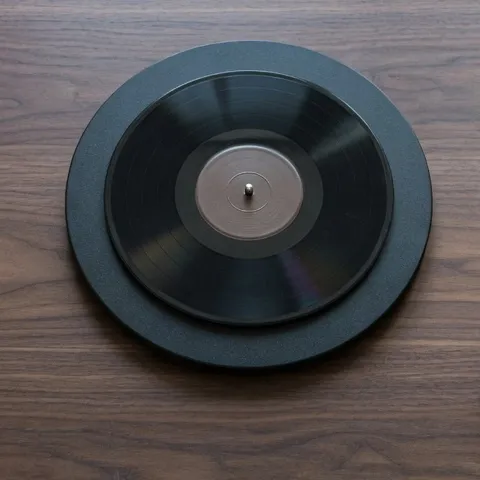
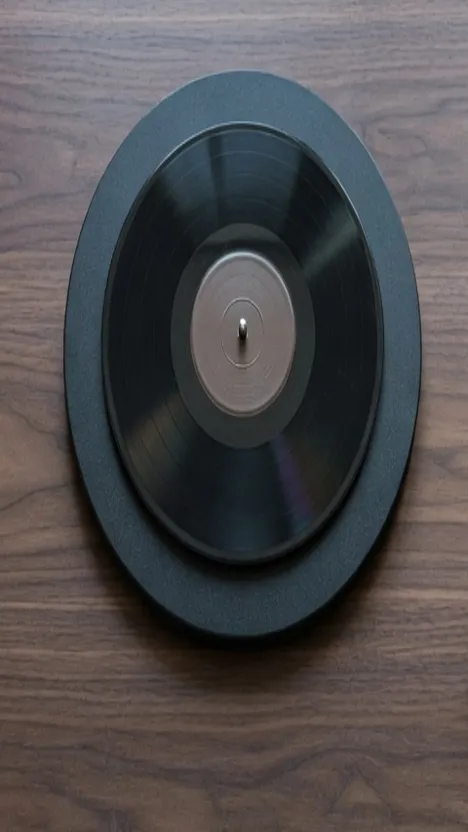
Crop then stretch is the usual cover job: cut to the subject, then remap to the pixel size the slot demands. The ellipse in the middle file is that second step, visible because the subject was a circle. Crop then resize is the web thumbnail of a reframed photo. The small file on the right is still the tall crop, only half as wide and half as tall, so the circle survives.
Order matters because the verbs do not commute. Stretching first and cropping after keeps a piece of the already warped record. Cropping first and stretching after warps only what you kept. Resizing at any point in the chain, with both axes tied, does not change which of those two you did.
The gray bars in the letterbox are the honest uniform answer when the record has to stay round and the tall frame is allowed to be partly empty. When those bars have to become more table instead of #B0B0B0, that is a generated edge, which is the AI image expander, not a resize and not this stretch.
Ask in this order
Start with framing. Too much table, a sleeve you do not want, a subject sitting in the wrong part of the picture: crop, and stop if the remaining shape is already the one you need. The record in the 468×832 crop is that stop. It is round, and the neighbors are gone on purpose.
Then the size. The framing is right and someone asked for a smaller file or a larger one: resize, both axes together. The 624×416 file and the 1872×1248 file are that stop. They match the source, including the sleeve and the headphones.
Then the box. The slot is a different shape, bars are forbidden, and a warped record is acceptable: stretch the full frame into that box. The 468×832 file with the ellipse, the sleeve, and the headphones is that stop.
Identity outranks the box when a stranger will check the outline against memory. A logo, a face, a clock face, this record: crop or resize, and leave the stretch file for a layout that can stand an ellipse. Changing the ratio on purpose, including pad and expand, is written up separately in how to change the aspect ratio of an image. What the two axes mean on their own is what is an image stretcher.
On the home page tool the labels are the same words as the files:
- Open the photograph.
- Tap Crop, drag the window, then Apply crop when the sleeve or the headphones should leave. That cut becomes the new source.
- For a larger or smaller copy of the same look, choose Original under Aspect and set Width or Height. The other side follows.
- To fill a different box, choose Free under Aspect and set Width and Height yourself. Horizontal and Vertical do that remap as factors. They start independent. Unlock stretch ratio is the button label only after you have locked them.
- If the record turns into an ellipse and the brief wanted a circle, return to the crop or to Original.
- Download. The file stays in the browser unless you use Share link, which uploads a separate copy.
Seven of the files on this page still have a round record. The two ellipses are the same 468×832 box reached by different roads.
The sleeve survives the resizes and the full-frame stretch, and it is absent from every crop. That split is the comparison.