Image stretcher
Stretch a TikTok cover to 1080×1920
A TikTok still is not one file. This page walks through the tall cover, the wide clip, the square, the shop tile, and the profile, and shows what the app paints over once the file is up. Video, live, thumbnail, and cover share 1080×1920, and the buttons and caption sit on the lower part of that frame. The profile is 200×200. A profile picture used in ads is 98×98. The landscape video is its own 1920×1080 file.
TikTok video, cover, and profile
Each row is its own export. The vertical rows share one frame. A cover will not fill the wide row or the square row, so read the row before you stretch.
Post
1080 × 1920 pxApply sizeProfile Pic
200 × 200 pxApply sizeProfile Picture (Ad)
98 × 98 pxApply sizeLive
1080 × 1920 pxApply sizeDP
200 × 200 pxApply sizeVideo
1080 × 1920 pxApply sizeThumbnail
1080 × 1920 pxApply sizeCover photo
1080 × 1920 pxApply sizeShop
800 × 800 pxApply sizeVideo (Landscape)
1920 × 1080 pxApply sizeVideo (Square)
1080 × 1080 pxApply size
Size chart
Pixel width, height, and the reduced ratio for every template on this page.
| Template | Width | Height | Ratio |
|---|---|---|---|
| Post | 1080 | 1920 | 9:16 |
| Profile Pic | 200 | 200 | 1:1 |
| Profile Picture (Ad) | 98 | 98 | 1:1 |
| Live | 1080 | 1920 | 9:16 |
| DP | 200 | 200 | 1:1 |
| Video | 1080 | 1920 | 9:16 |
| Thumbnail | 1080 | 1920 | 9:16 |
| Cover photo | 1080 | 1920 | 9:16 |
| Shop | 800 | 800 | 1:1 |
| Video (Landscape) | 1920 | 1080 | 16:9 |
| Video (Square) | 1080 | 1080 | 1:1 |
What sits on top of a 1080×1920 TikTok cover
Like, comment, and share sit on the right, and the caption sits along the bottom. The dark bands on the picture are those two areas, and they overlap at the lower right. A face, a product, or a line of type in that corner is on the file and still invisible in the app. Keep the subject in the bright part, above the caption and clear of the buttons.
Post, Live, Video, Thumbnail, and Cover are this one tall frame. Export it once and those rows are filled. The wide clip and the square come later, and they are different files.

A horizontal clip is the wrong cover
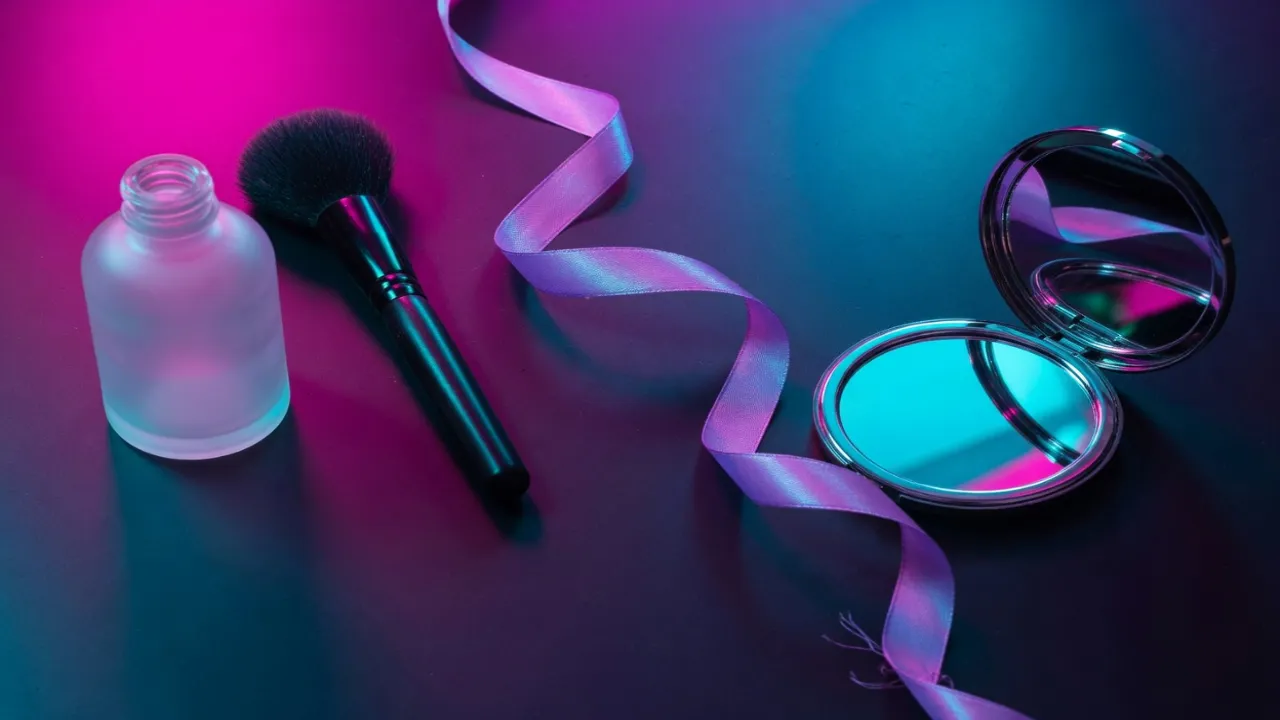
The tall frame is this photo stretched into the cover. The bottle, the brush, and the ribbon get longer, and the compact mirror drops toward the caption. The wide photo beside it is the file before that stretch, so you can see what changed. Start from that wide file. Stretching a cover you already exported only stretches the damage.
Video, live, thumbnail, and cover are one tall file, so you do not export four copies. The picture next to the original is that file with the dark bands lifted off. Compare the two and the bottle, the brush, and the ribbon have all grown longer. That length is the stretch. It is not a crop.

A vertical cover stretched sideways to hit this row warps the subject. The bottle goes short and the ribbon flattens. Crop a 16:9 window when the scene can spare the top and bottom, and export that window from the original photo. Turning the cover on its side does not make this file.
TikTok frames that share a name and not a size

The four frames under this photo are one file, each smaller than the last. The square video is the whole ball, pulled just enough to fill a square. The shop tile is that square again, smaller, so the mirrored facets go soft. The two circles cut the corners off, and anything outside the circle is not part of the profile.
Detail that reads on the cover disappears once the picture is only the ad profile. The smallest circle keeps the middle of the ball and throws the rest away. A word or a fine edge that survived the cover will not survive here. Crop the profile from the original, with the subject already in the center, instead of shrinking the cover and hoping the middle is the right part.

A photographic cover is fine as JPEG or WebP. A flat shop tile, and a mark that must still read at the ad-profile size, belong in PNG. TikTok compresses the upload again, so a file that is already soft gets softer on the feed.
How to stretch an image for a TikTok frame
Start from the original photo, pick the row, then check what the app will cover. The second step is the pixel menu. The chart above is the same list, one row at a time.
- Step 1
Open the still you will post
A profile-sized file is the wrong master. It is already tiny, and stretching it up into the tall frame makes the bottle and the ball soft. Open the largest file you have, then stretch down into the vertical frame. The tool above does that in the browser.
- Step 2
Pick the TikTok row
Post, Live, Video, Thumbnail, and Cover are 1080×1920. Landscape video is 1920×1080. Square video is 1080×1080. Profile and DP are 200×200. The ad profile is 98×98. Shop is 800×800.
- Step 3
Watch the caption band
On the vertical post the caption and buttons cover the lower right. Stretch the subject into that corner and the words hide it. Leave the subject above the bottom band and clear of the right edge. The dark overlay on the first picture is that margin. The file stays full screen. The app paints over it.
- Step 4
Save a second file for the profile
The profile is a circle-like crop in the app, so the corners of the square never show. Export it from the original, with the subject in the middle, not by shrinking the cover. The center of a tall cover is rarely the face or the product you wanted in the circle.
TikTok 1080×1920 and 98×98 FAQ
- Which TikTok sizes can I stretch on this page?
- Vertical post, Live, video, thumbnail, and cover are 1080×1920. Landscape is 1920×1080. Square is 1080×1080. Shop is 800×800. Profile and DP are 200×200. The ad profile is 98×98.
- Are all TikTok covers 9:16?
- No. The vertical rows share one frame. The chart also has a landscape row and a square row. A cover will not fill those by itself. Check the row before you stretch.
- Will TikTok show the whole 1080×1920 still?
- The file is full screen, then the caption and buttons cover the lower area. The right edge is covered too. Keep the subject above that band and clear of the buttons. The dark bands on the first picture are the part viewers do not see.
- Can the profile be a shrunk cover?
- It can, and it will look soft and oddly framed. The center of a tall cover is not the crop a profile wants. Cut the profile from the original, with the subject already in the middle of the square.
- What should I download for TikTok?
- JPEG or WebP for a photographic cover. PNG for a shop tile or a graphic with type. The app compresses again after upload, so export a cleaner file than the one you want people to see.