Image stretcher
Stretch a Discord server banner to 960×540
A Discord server banner is 960×540. The server name sits in the top 48 pixels of that strip. The invite splash is 1920×1080, the same shape at twice the pixels. A user profile banner is 600×240, and the avatar covers its lower left.
Discord banner, splash, and avatar
The chart rows are separate files. A banner stretched into the emoji square is how a hall becomes noise.
Size chart
Pixel width, height, and the reduced ratio for every template on this page.
| Template | Width | Height | Ratio |
|---|---|---|---|
| PFP | 512 | 512 | 1:1 |
| Server Banner | 960 | 540 | 16:9 |
| Sticker | 320 | 320 | 1:1 |
| Emoji | 128 | 128 | 1:1 |
| Avatar | 512 | 512 | 1:1 |
| User Profile Banner | 600 | 240 | 5:2 |
| Server icon | 512 | 512 | 1:1 |
| Invite Splash Screen | 1920 | 1080 | 16:9 |
The server name sits in the top 48 pixels
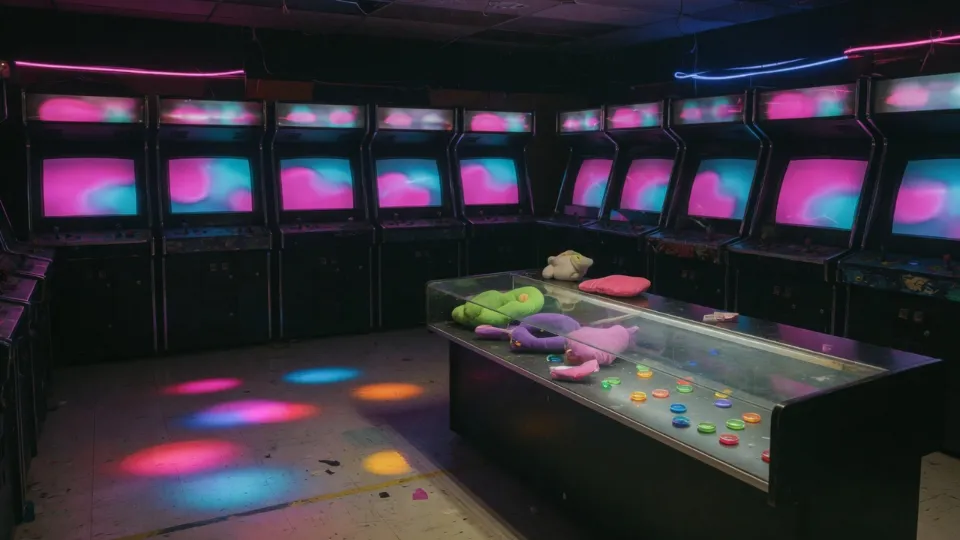
Server banner file, 960×540.
The channel list shows this hall as a 960×540 strip. Discord asks for the top 48 pixels to stay simple, because the server name is painted there. The pale band on this frame is that strip. A logo or a busy cabinet in the band disappears under the name. Upload a 1920×1080 still and Discord shrinks it to this shape. This page exports a still. An animated banner is a GIF you upload on its own, and it is resized to the same frame.
The name band is why a server banner is not a poster. The subject has to survive having its top edge covered, and it has to survive being shown only as wide as the channel column.
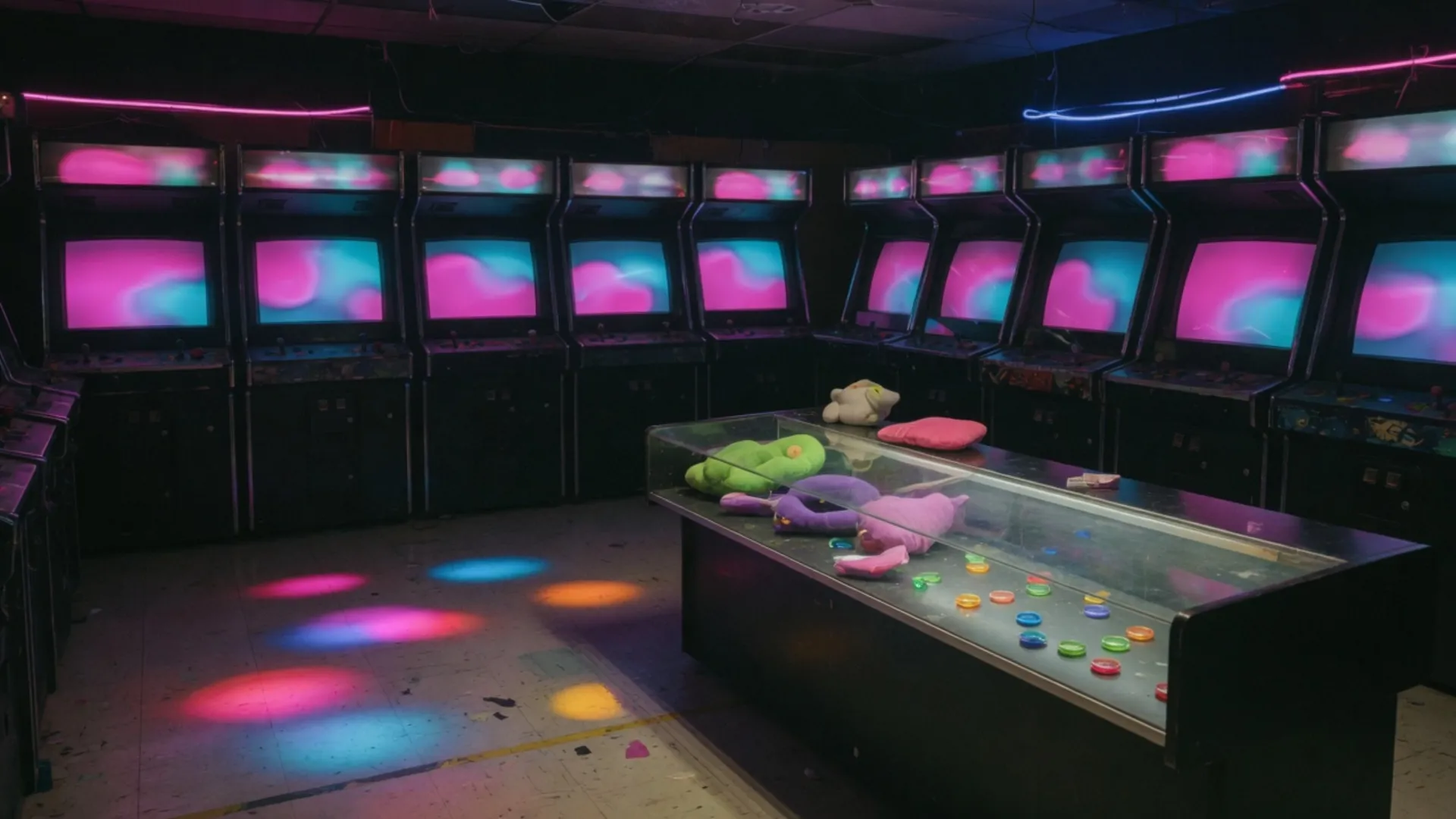
Invite splash file, 1920×1080.
The invite splash is a different upload at exactly 1920×1080. It is the same 16:9 as the banner and twice the pixels. When someone opens an invite in a browser, a join card sits in the middle, which is the empty panel on this frame. The prize counter is the part they do not see. Keep the subject out toward the cabinets.
The splash is the background of the invite, not the round server icon and not the short profile strip. A file that looks right as a banner can still hide its subject behind that card.
The 960×540 file, drawn at splash width.
This is the 960×540 banner file drawn as wide as the splash. The cabinets go soft. Discord will shrink a 1920×1080 upload when you set it as the banner. It will not fill in the missing pixels if you scale the banner up and send that as the splash.
Start the splash from the large file. The banner is the half-size strip the channel list actually shows.
600×240 is not half of 960×540
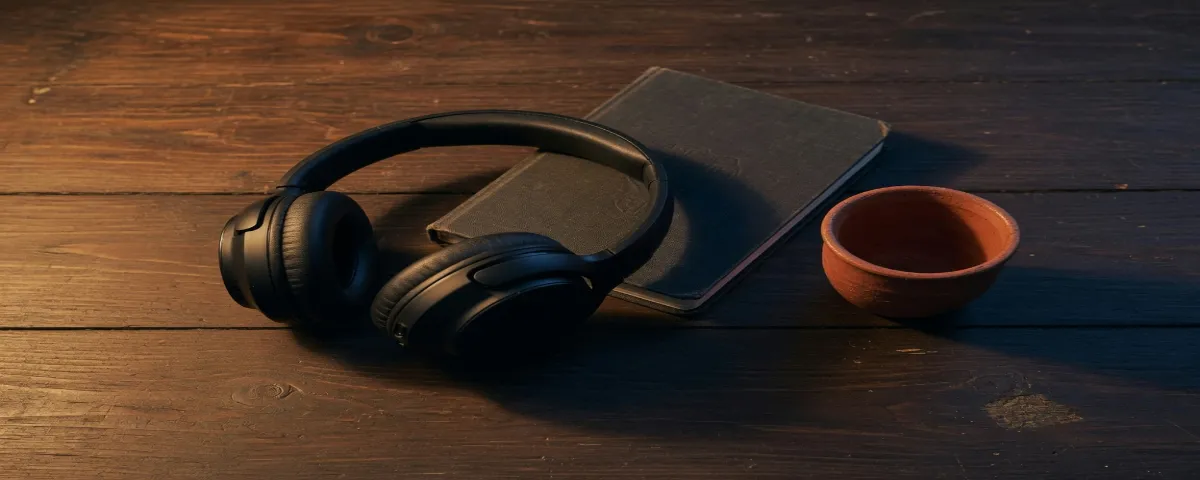
Profile banner, pulled to 600×240.
A user profile banner is 600×240, a 5:2 strip. These headphones began as a 3:2 photograph. Pulling them into 600×240 flattens the ear cups. That stretch is not the server banner, which stays 16:9. The two files do not stand in for each other.
The profile strip is short enough that a landscape photo has to lose height. If the subject is a circle of headphones, the squash is the thing you are checking before you upload.
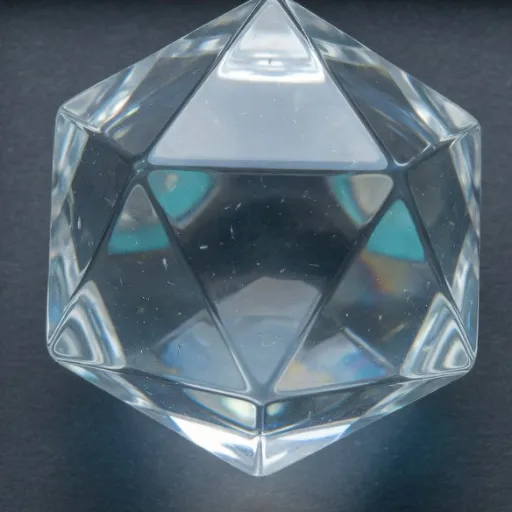
Avatar and server icon, 512×512.
The avatar is a 512×512 square. The profile draws it as a circle on the lower left, and about half of the circle hangs off the strip. The corners of the die are outside the circle, so they never show. The server icon is this same square, drawn as a circle again.
Put the mark in the middle of the square. A scene that matters in the corners is the wrong file for an avatar or a server icon.
Emoji is drawn at 32×32
The server list, the sticker, and the emoji are three different squares. None of them is a small copy of the banner.
The same die, in the server list.
The server list draws that same die smaller and still as a circle. A hall shrunk into this square becomes a colored dot. The icon wants one object, centered.
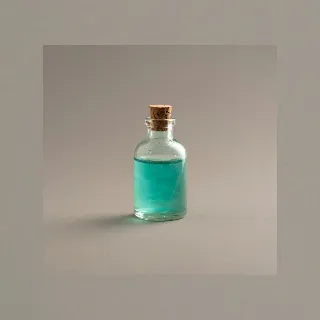
Sticker file, 320×320.
A sticker is exactly 320×320. Discord wants the artwork to fill that square, and a static sticker is a PNG. This bottle leaves a wide gray margin, so the chat gets a small object inside an empty square. A photographic invite splash can be JPEG. The sticker cannot.
An animated sticker is an APNG, not the GIF an emoji can use. A still sticker is the file this page can export.
The same sticker, drawn at 160×160.
This is the same bottle at the size desktop chat uses, 160×160. The margin that looked generous at full size is now most of the square. Fill the canvas before you export, or the sticker reads as a speck.
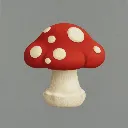
Emoji file, 128×128.
A custom emoji uploads at 128×128. The mushroom is one thick shape on a flat ground, which is the kind of file that still has a silhouette after Discord shrinks it. A banner stretched into this square does not.
Emoji files have to stay under 256KB. JPEG, PNG, GIF, and WebP are accepted. The limit is why a detailed splash is the wrong source even before the resize.
The same mushroom, drawn at 32×32.
Discord then draws that 128×128 file at 32×32, about the size of a word in chat. The spots on the cap are the detail that is about to disappear. If you cannot name the object at this size, export a simpler mark.
How to stretch an image for a Discord frame
Pick the row that matches the slot. The banner, the splash, the profile strip, the icon, the sticker, and the emoji are not one export.
- Step 1
Open the picture for that slot
Drop the hall, the headphones, or the single object into the tool above. Each slot wants its own source. A banner file is the wrong start for an emoji.
- Step 2
Choose the Discord row
The size chart under the tool lists the banner, the invite splash, the user profile banner, the icon, the sticker, and the emoji. Select the row. Do not type the banner's pixels into the emoji fields.
- Step 3
Check what the interface covers
Look at the top of a banner and the lower left of a profile strip before you download. The name and the avatar sit on top of the picture. Move the subject if it falls under them.
- Step 4
Export PNG or JPEG for the slot
PNG for a sticker, an emoji, or an icon. JPEG for a photographic splash. An animated sticker is made elsewhere. This tool writes a still.
Discord banner and emoji FAQ
- Where does the Discord server name sit on the banner?
- In the top 48 pixels of the 960×540 banner. Keep that edge simple. Discord shrinks a larger 16:9 still down to this frame.
- What size is the Discord invite splash?
- Exactly 1920×1080. It is the background of an invite link, and a join card covers the middle. Use the large file. Scaling the banner up does not make this splash.
- Does the profile banner match the server banner?
- No. The user profile banner is 600×240. The avatar and the server icon are a 512×512 square drawn as a circle on the lower left. Neither number is half of the server banner.
- What size is a Discord sticker?
- Exactly 320×320, drawn at 160×160 in desktop chat. Fill the square. A static sticker is PNG. An animated sticker is APNG, and the file has to stay under 512KB.
- What size is a Discord emoji?
- Upload at 128×128. Discord draws it at 32×32. Keep the file under 256KB. A photographic banner stretched into that square turns into noise.