How to Stretch an Image for Social Media Without Cropping
ImageStretcher
Fill a Story, post, cover, or thumbnail from the pixel box that slot actually uses, without letting the uploader crop the subject away.
Each network’s uploader crops to its own box. A 16:9 still dropped into a Story becomes a center slice. A square product shot dropped onto a wide cover loses the top and bottom, or gains bars the layout will not show. The frames on this page are one afternoon balcony, saved at 1920×1080, then remapped into the slots this catalog actually names. The orange is the ruler. The fern on the left and the blue napkin on the right are the edges.
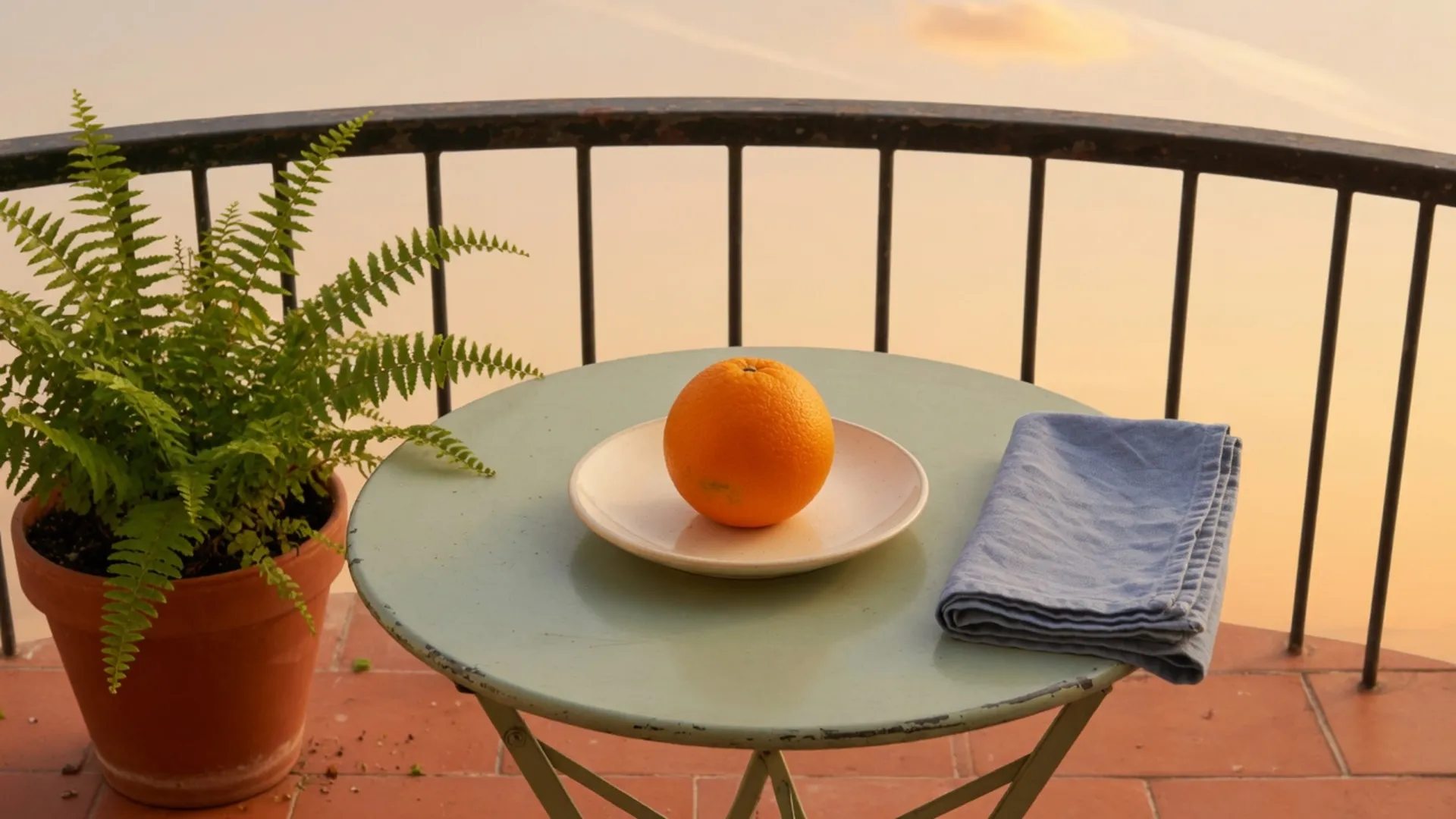
Every later frame is this bitmap drawn to a new width and height, or a window cut from it and then scaled. The counts are templates already in ImageStretcher, targets you can prefill. When one network needs its full chart, open that network’s page. Tumblr’s rows are not Instagram’s rows.
Five slot files from the balcony
Width scale is the target width divided by 1920. Height scale is the target height divided by 1080. When the two quotients match, the orange keeps the 225×243 proportion. When they differ, the fruit warps, and the fern and the napkin stay, because the remap never throws a pixel away. The five files below share one scale, so the Story is the tall one and the cover is the short one. Their bottoms line up. A phone stacks them.
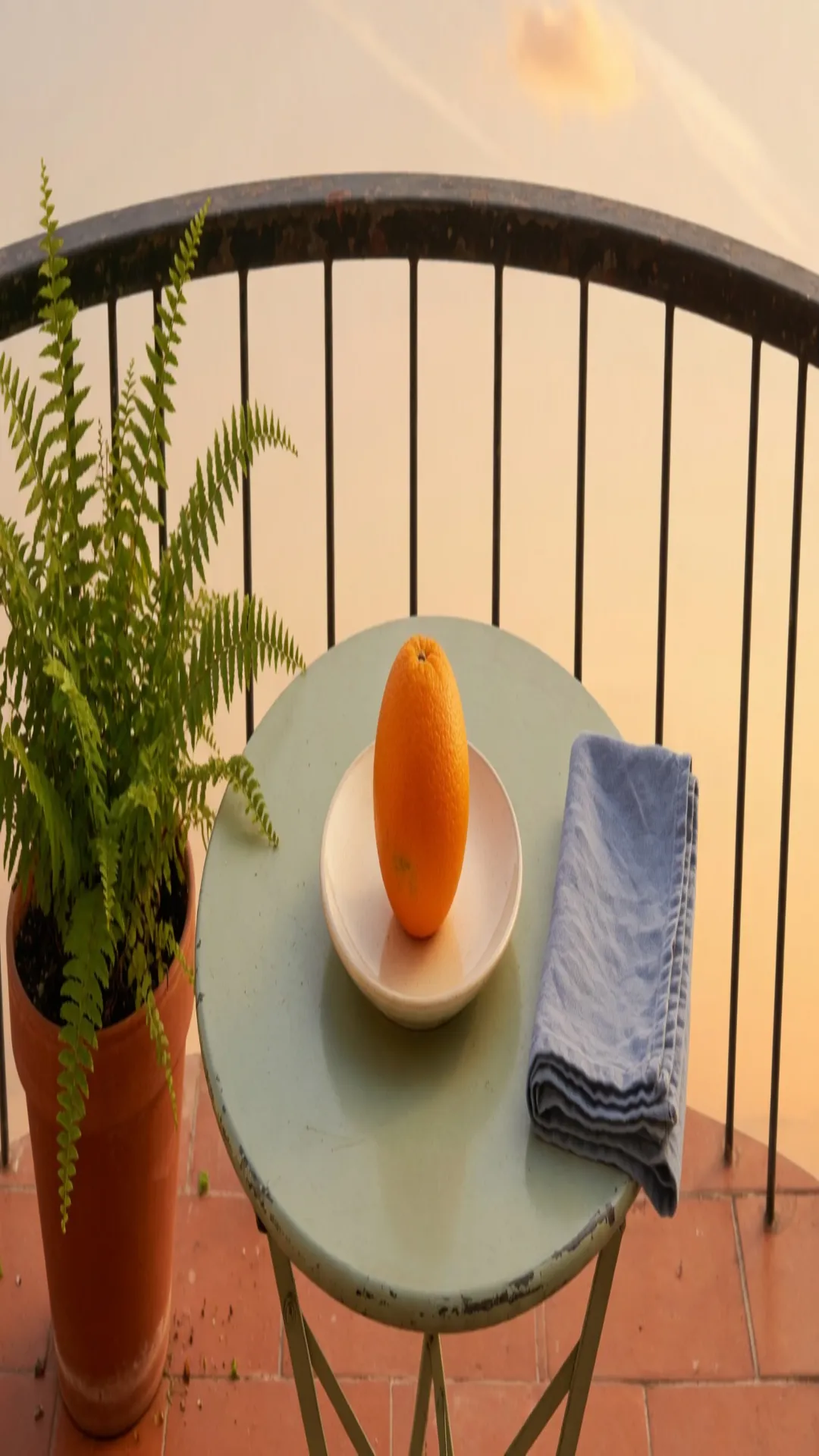
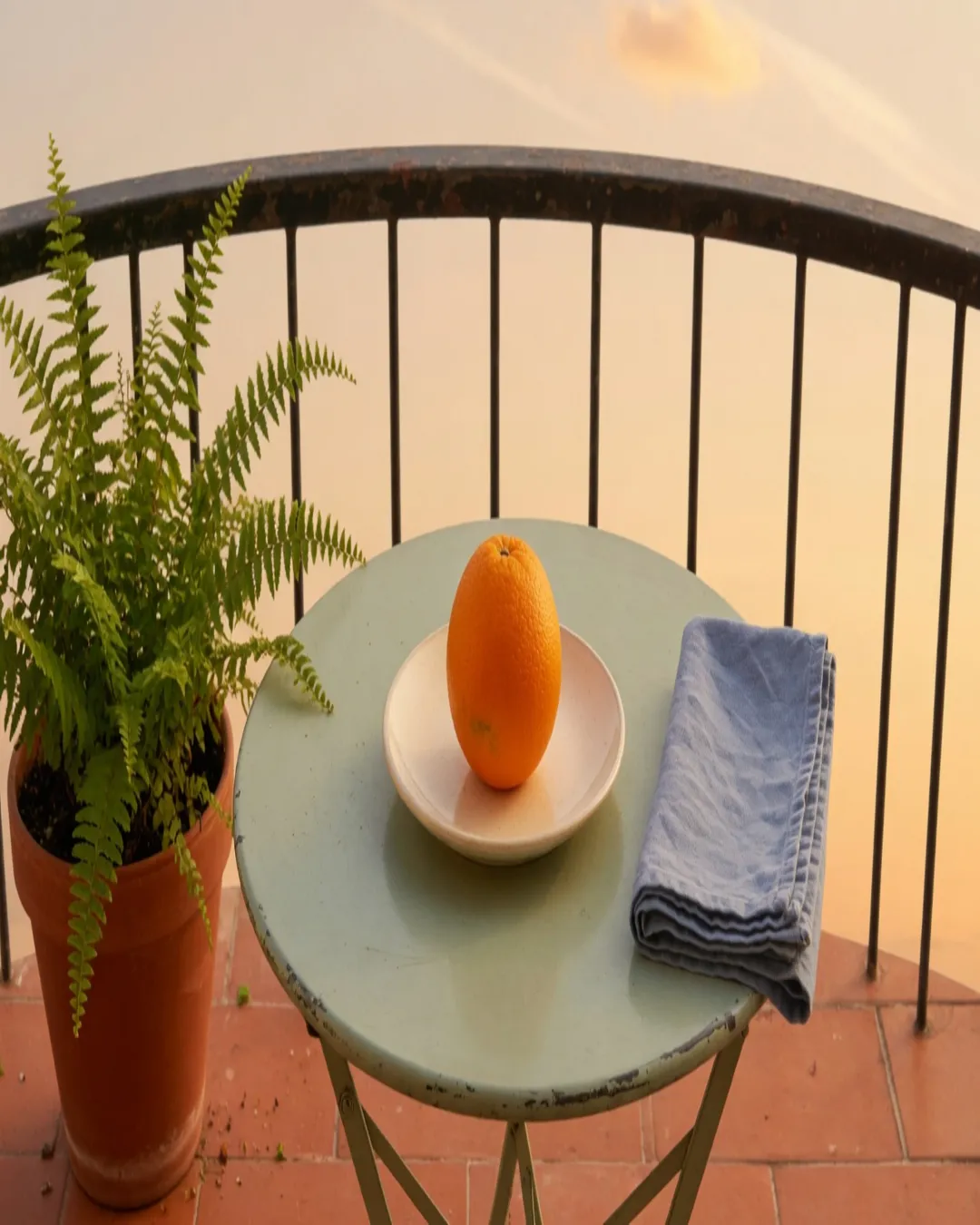
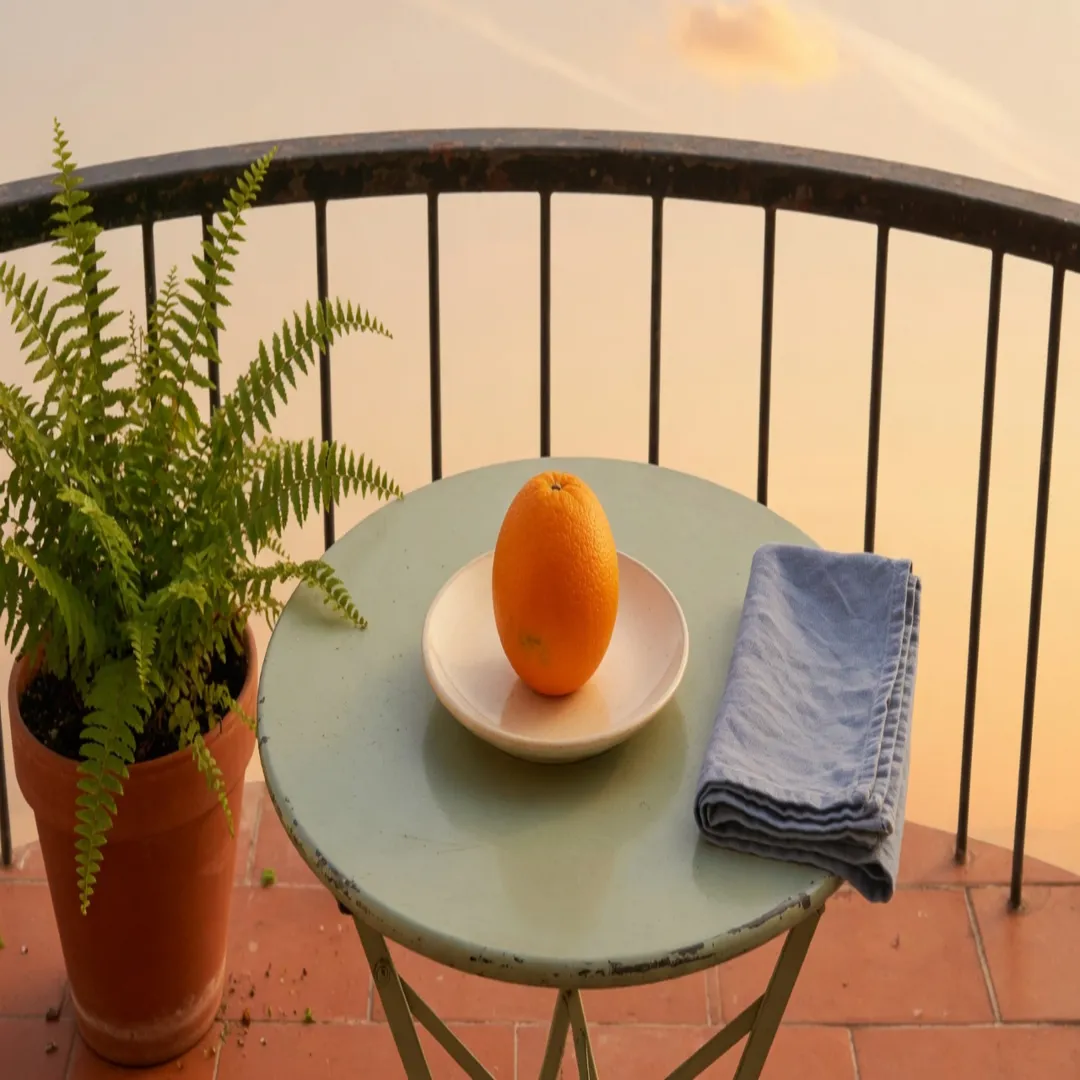
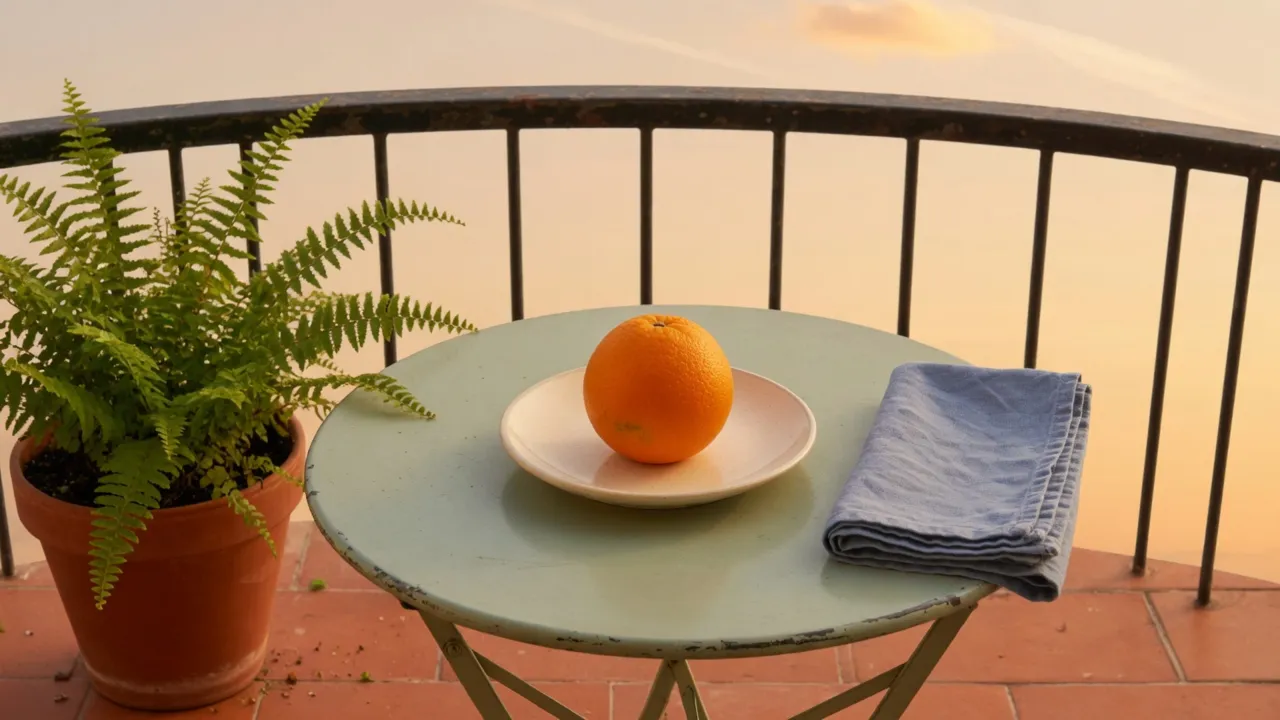
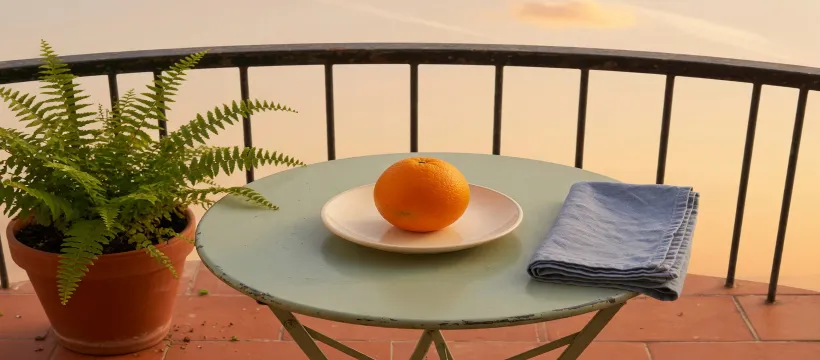
Story and Reels take the first file. The round table becomes a tall oval along with the fruit. The portrait is the same squeeze on the width and a milder pull on the height, 1.25 instead of 1.778, which is why 126×303 is tall without becoming the Story’s 126×431. The square leaves height alone, so only the width of the orange changes, from 225 down to 126.
The thumbnail belongs to the same 16:9 family as the master, so both axes move together and the fruit only shrinks, 225×243 down to 150×161. The banner on that chart is 2560×1440, the same shape at a larger count, and this page does not repeat the file.
The cover is the wide case. Width scale is 820÷1920, and height scale is one third, so the fruit’s box becomes 96×81. The table is the louder ellipse, and it still carries the fern and the napkin.
Center crops, three windows
The uploader does the other job. It keeps a window, drops the rest, and scales that window until the slot is full. The orange stays near the proportion the camera recorded. The edges are what leave. These three crops are drawn at one height, so the Story window is a narrow strip and the cover window is a long bar.
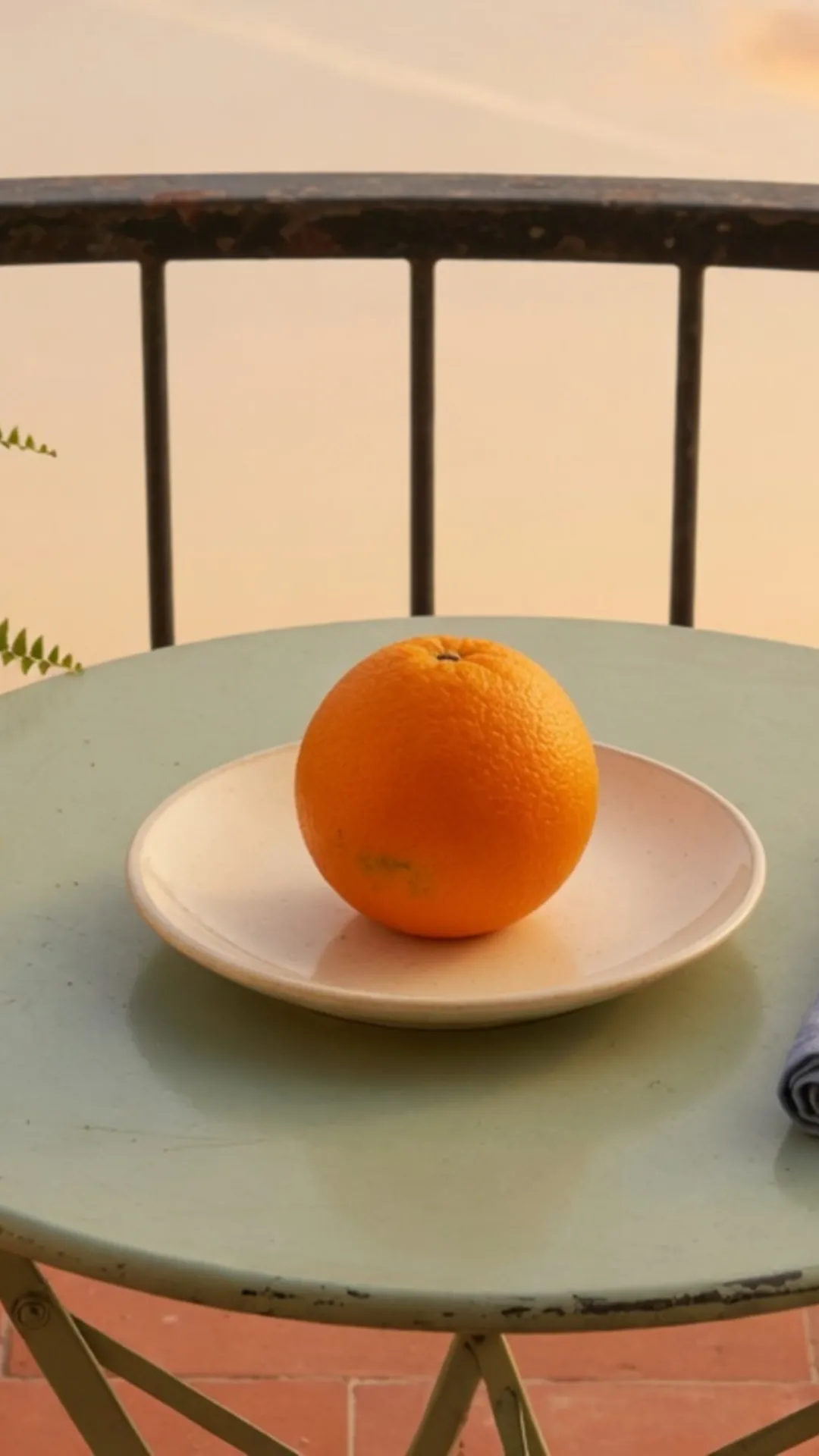
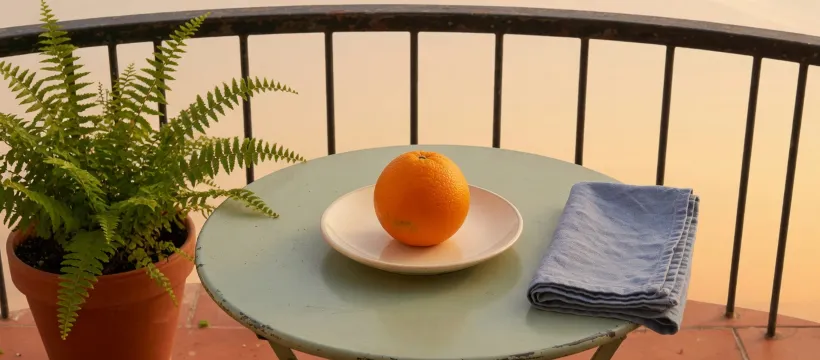
The Story window is 608 pixels wide because 1080 × 9/16 is 607.5, and these files use 608. It starts at x=656 and runs through x=1264, then scales to 1080×1920. Factors are about 1.776 across and 1.778 down, which is why the shape barely moves and the file is softer than a native 1920-tall photo. The orange measures 399×431, the same proportion as 225×243. The pot sits left of x=656. A few fern tips cross that line and survive. The napkin starts at x=1242, twenty-two pixels before the window ends, so the scaled file keeps a 41×86 corner and loses the rest of the cloth.
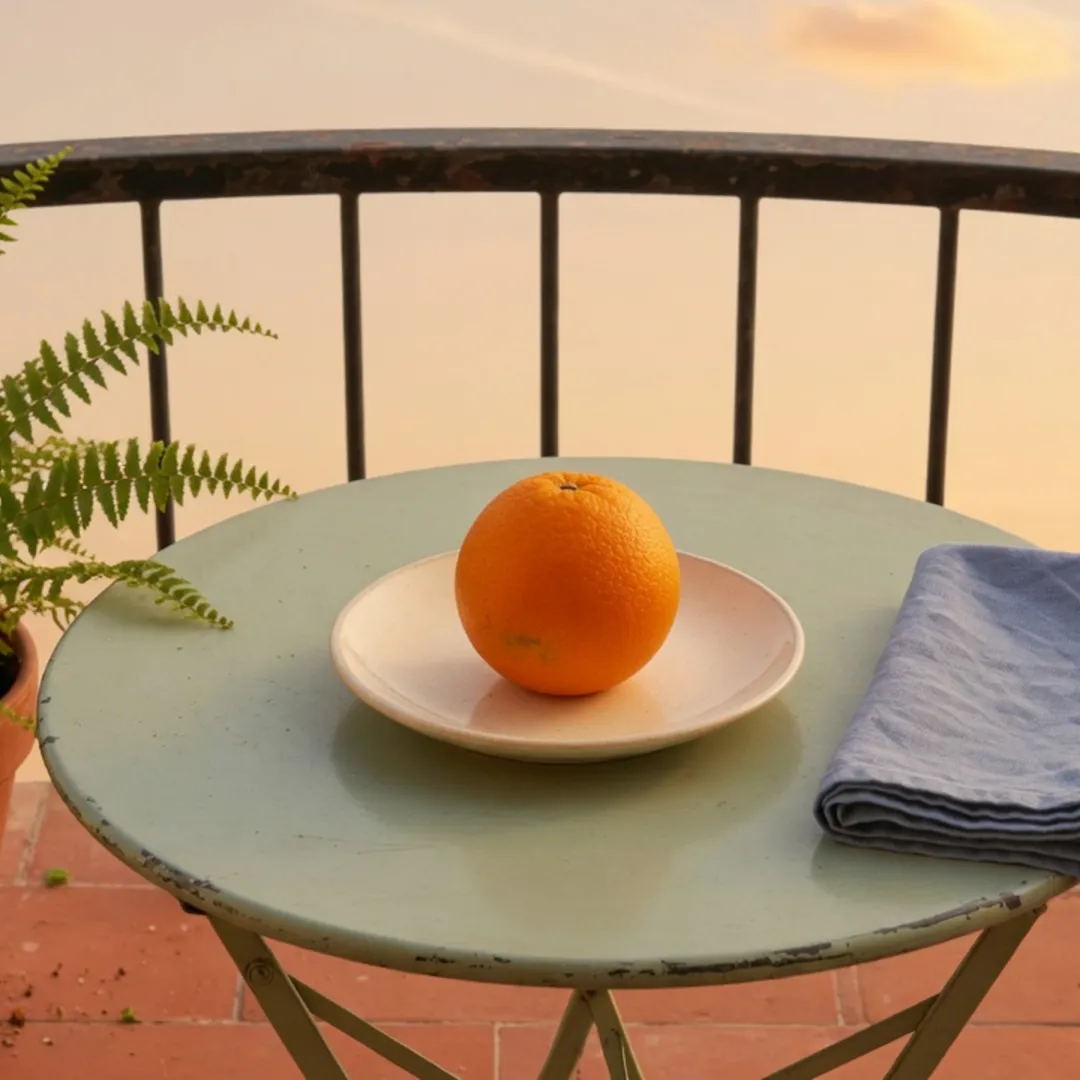
The square crop does not need a second scale. The master is already 1080 pixels tall, so the window is x=420 through x=1500. The orange is still 225×243, only shifted left by those 420 pixels. The napkin was 378 pixels wide and is 259 here, so the right fold is gone. Fern fronds enter from the left. The pot does not.
The cover crop keeps the full 1920 width and drops rows. The window is 844 pixels tall, from y=118 through y=961, then it scales to 820×360. The orange is 96×103, still taller than it is wide. Fern, fruit, and napkin all stay, because the cut was 118 pixels of sky and 118 pixels of the nearest floor. That is a different file from the stretched cover, where the same fruit is 96×81.
The longer walk through a 16:9 file that must become 9:16, including a gray mat, is fit a widescreen image into a vertical frame.
The orange after the cover stretch
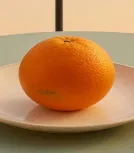
The patch is cut from the 820×360 cover, not rephotographed. On the master this fruit was 225×243. Width went to 820/1920 of 225, which lands on 96. Height went to one third of 243, which is 81. The plate under it flattens with the fruit. A cover that still has to show the fern and the napkin cannot also keep this orange at 225×243. The Story crop above keeps the fruit’s proportion and gives up the plant. AI Image Expander leaves the fruit alone and invents balcony outside the original edges, and that request sends a temporary smaller copy. The stretch is the export that still contains the napkin.
Where those boxes live
Open the landing and use a size card. The card prefills the tool with a template query.
Instagram carries Story and Reels at 1080×1920, the square and the portrait, and a 320×320 profile. YouTube carries the 1280×720 thumbnail, the 2560×1440 banner, 1080×1920 Shorts, and an 800×800 profile. TikTok carries a 1080×1920 video frame, a 1920×1080 landscape, a square, and a 200×200 profile. Facebook carries the 820×360 cover, a 1200×630 link post, and a 1080×1920 story. Tumblr carries a 1280×1920 image post, a 540×405 dashboard thumbnail, a 128×128 profile, and a 1280×720 landscape.
The templates gallery is the index when the network is not chosen yet. A template is a pixel box. An aspect preset only locks a ratio, so 9:16 will sketch a Story and will not by itself produce 1080×1920.
Instagram Story, Instagram Reels, TikTok’s vertical video, Facebook Story, and YouTube Shorts are all 1080×1920 in this catalog. One export can fill all five of those frames. It cannot fill the Facebook cover, the YouTube thumbnail, or a square shop tile. Matching height and width is the test. Matching the network’s name is not.
A profile is the slot this balcony should not be stretched into. Instagram’s profile template here is 320×320 and TikTok’s is 200×200. Crop to the fruit, or to the fern, then scale. A cover squeezed into a 128×128 Tumblr profile stops being readable. The Tumblr chart lists that 128×128 row next to the 1280×1920 post so the two jobs stay separate. Splitting one master into a cover, an avatar, and a Story, as a workflow, is one photo for a cover, an avatar, and a Story.
Steps
- Open the network’s landing, or the home stretcher when the two numbers are already known.
- Drop the image. The stretch runs in the browser.
- Under Aspect, choose Free, then set Width and Height, or pick the slot card. Unlock stretch ratio is the factor control. It does not free the pixel box.
- Preview at the slot’s shape. On this balcony, 1080×1920 turns the orange into 126×431. When the brief needs the fruit at its camera proportion, take the window on crop image, or grow the canvas with AI Image Expander.
- Download. PNG holds flat color. JPEG or WebP is the usual upload. When the network also caps kilobytes, set that on export or run compress image after the pixel size is correct.
- Upload the file just made. When its editor opens on a different aspect, the slot row was the wrong one.
A folder of shots that all share one box can skip the one-by-one download. Stretch multiple images at once uses the same size and writes a ZIP, up to 20 files.
Select Template does not list every product a company ships. Type the width and height the network’s own help page gives you, with Free already chosen, and export. When that size should become a card, request a template. The custom size still works the same day.
The downloaded width and height have to match the slot row. Text that must be read has to stay legible at that size. A 2560×1440 banner scaled up from a phone screenshot will be soft. Avatars were cropped to a square. Upload this export, so the site’s crop UI has nothing left to trim.
Paper is a different table. Sheet sizes at 300 DPI are in how to stretch an image for printing.