Image stretcher
Stretch an eBay listing photo to 1600×1600
Search and Gallery Plus show an eBay listing from the square photo: the listing file is 1600×1600 and Gallery Plus is 400×400. The store billboard and store banner are both 1280×290. The store logo and profile picture are 300×300.
eBay listing, billboard, and logo
The listing photo is 1600×1600. The store billboard is 1280×290. The store logo is 300×300.
Size chart
Pixel width, height, and the reduced ratio for every template on this page.
| Template | Width | Height | Ratio |
|---|---|---|---|
| Listing Photo | 1600 | 1600 | 1:1 |
| Store Billboard | 1280 | 290 | 128:29 |
| Store Logo | 300 | 300 | 1:1 |
| Profile picture | 300 | 300 | 1:1 |
| Marketing Banner | 640 | 640 | 1:1 |
| Banner Collection | 640 | 360 | 16:9 |
| Gallery Plus | 400 | 400 | 1:1 |
| Store Banner | 1280 | 290 | 128:29 |
Search opens the square
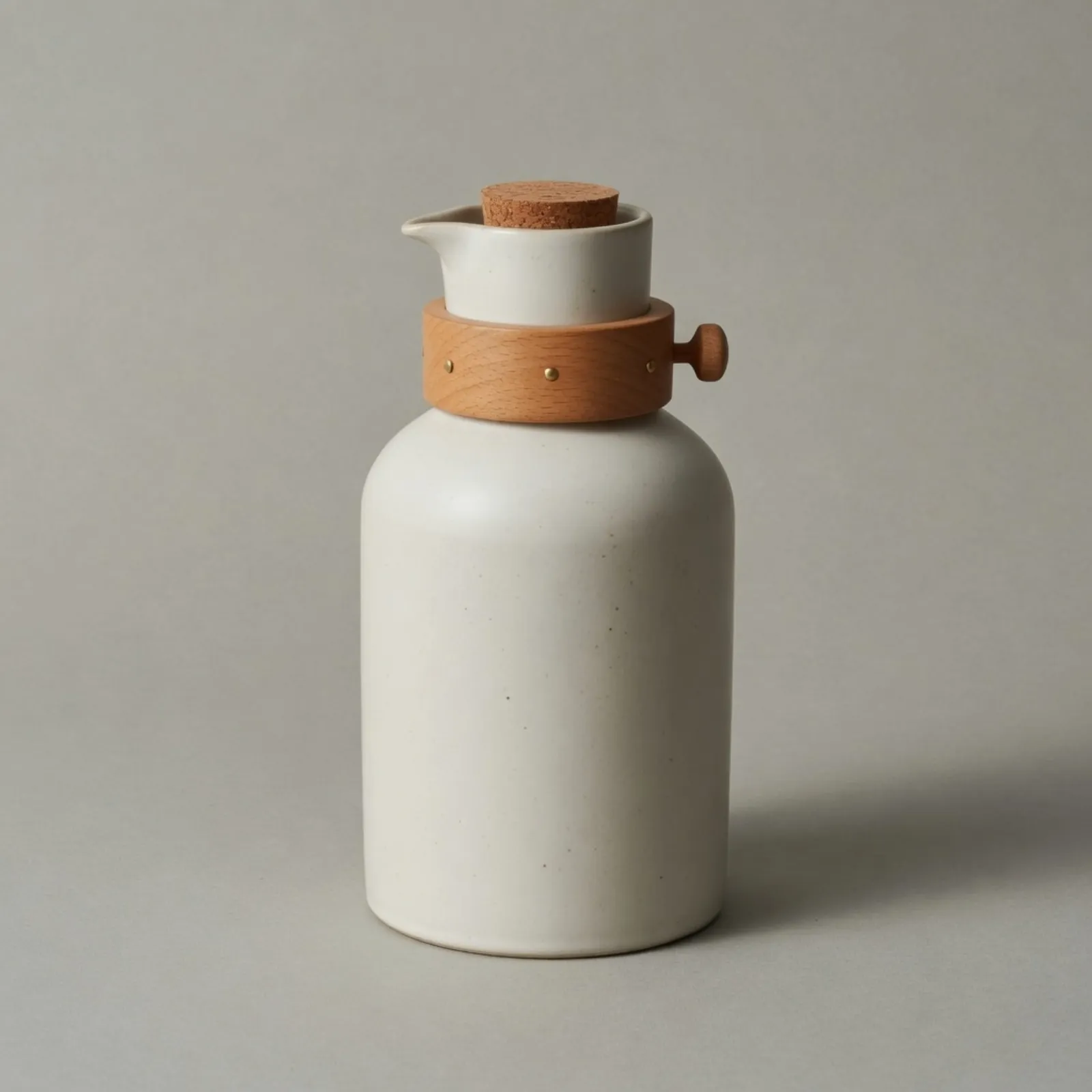
This file is the listing photo, 1600×1600.
The large file is the listing photograph. Zoom opens this square, and the carafe was framed to fill it. A title and a price sit outside the picture. The gray ground is only the contact shadow, not a second subject.
In search this square is the tile, and the zoom opens the same file. The carafe was photographed for that square. The shelf, dropped into the tile, leaves each vessel short and runs the wood off both sides.
Listing zoom opens the square. Empty ground around a small object wastes that zoom. This carafe already occupies the frame, so the stretch is for a photo that does not.
The same listing, as Gallery Plus at 400×400.
Gallery Plus is this photograph drawn smaller. It is still the carafe, not the shelf. The search tile and the listing zoom share the file, so a second product shot is not what makes the small tile.
The same listing, as the marketing banner at 640×640.
The marketing banner is the carafe again, between the listing and the logo. It is still a square. The banner collection is the shelf, wider than it is tall, and neither of those is the billboard.
A photographic listing can be JPEG. Gallery Plus is the same photograph smaller, so JPEG still fits. A flat store mark that has to stay sharp at 300×300 belongs in PNG.
The same listing, as the store logo at 300×300.
The same listing, as the profile picture at 300×300.
The store logo and the profile picture are the same listing square at 300×300. The profile stays a square. The wooden collar is still a collar, and a word printed on the vessel would already be soft.
Both squares are the listing photograph at the profile size. A store name set in type is a different file. Squeezing the shelf into this square stacks the carafes.
At 300×300 the listing and the profile are the same picture. The collar and the cork still separate. A wide store name does not survive inside that square.
The store strip is the shelf
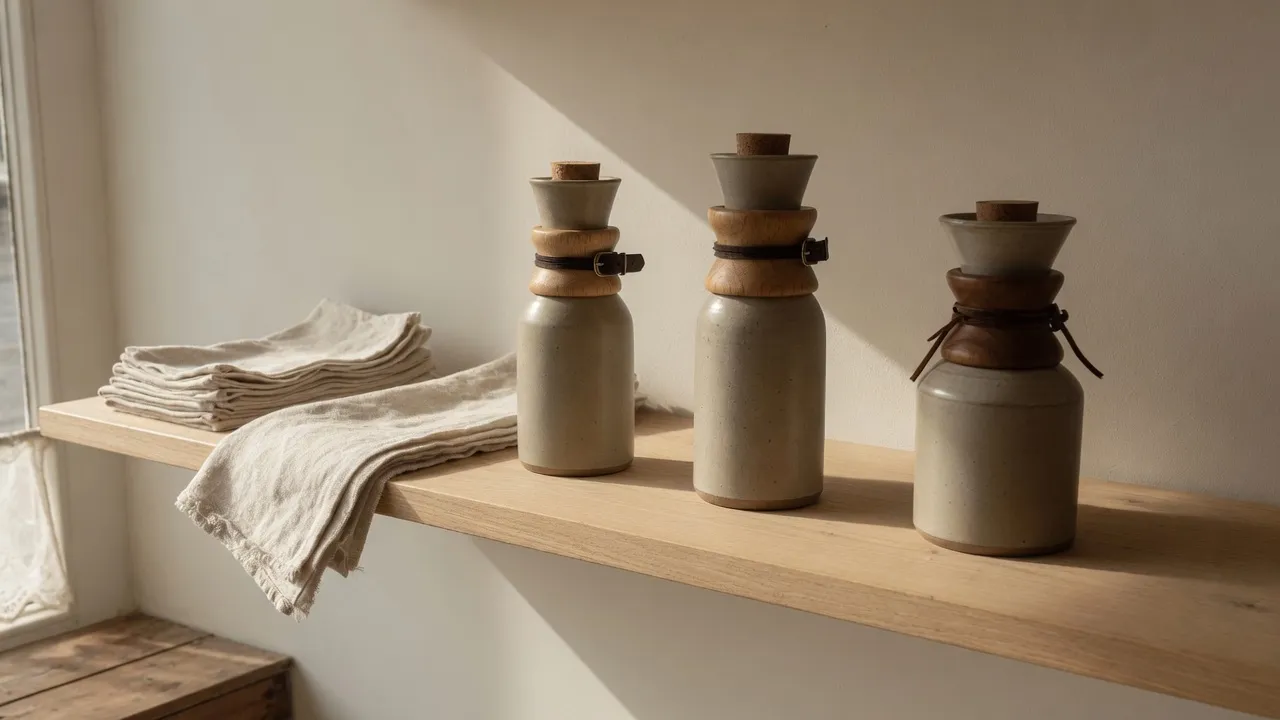
This file is the shelf, still at its own ratio.
This is the shelf at its own ratio. The linen still drops off the front edge, and each carafe is still a carafe. Set it as the listing and the tile crops the row.
The wide file is the shop before any store row is applied. The window, the linen, and the three vessels are still themselves. Nothing here has been asked to become the listing square.
The same shelf, as the banner collection at 640×360.
The banner collection is the shelf at its own ratio, only smaller. JPEG fits that shop photograph. It is not the short store strip.
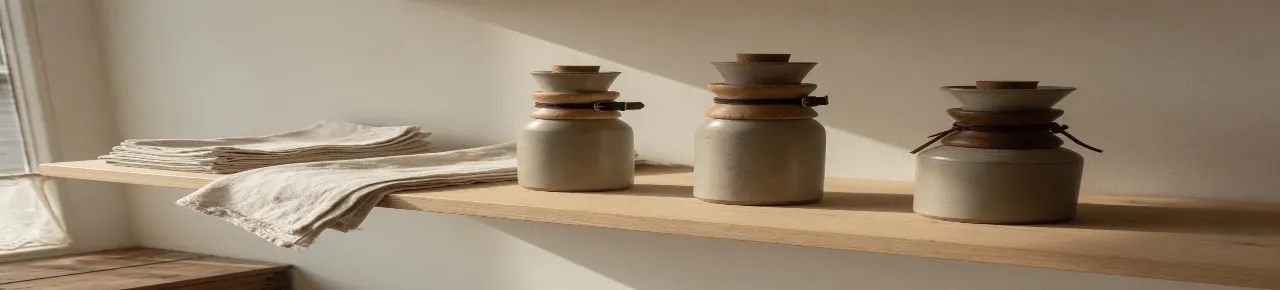
The shelf pulled into the store billboard, 1280×290.
The store billboard is the shelf pulled down to 1280×290. The three carafes stay in a row, and the linen becomes a thin band. Search never opens this strip as the item.
Height is the scarce side. One line of a store name is the budget, and the carafes have already become a row of bumps. The store banner on this page is the same strip.
Pull the shelf and you get the store header. Pull the carafe and you get a smear of the same pixel size. Buyers in the store see the first. Buyers in search see neither.
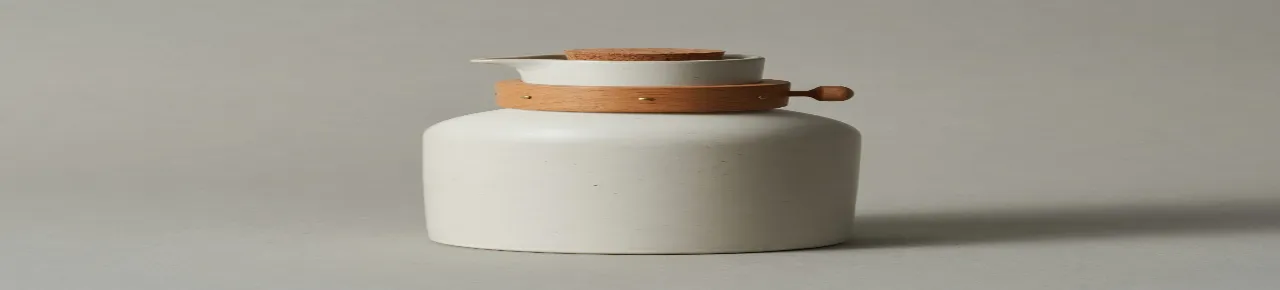
The listing pulled flat. This file is not the store billboard.
The right strip is the listing photograph pulled flat. The carafe is a low smear, and the gray ground is pulled with it. That file is not the store billboard. The billboard is the shelf.
Download JPEG when the listing is a photograph of the carafe. The flat strip beside the billboard is that same photograph pulled short, and it is still a photograph. PNG is the other export when the store strip is type instead of this shelf.
How to stretch an image for an eBay frame
The listing, Gallery Plus, the marketing banner, the logo, and the profile are one square photograph of the carafe. The banner collection and the store billboard are the shelf. Pulling the carafe into the billboard shape does not make it the store header.
- Step 1
Open the product photo
Start from the pack shot of the carafe. The shelf is a second photograph. Stretching that shelf up into the listing square pulls the wood and the linen with the vessels.
- Step 2
Pick the eBay row
Listing photo is 1600×1600. Store billboard and store banner are 1280×290. Store logo and profile picture are 300×300. Marketing banner is 640×640. Banner collection is 640×360. Gallery Plus is 400×400.
- Step 3
Keep the collar round
Buyers meet the square small, then zoom. If a label on the carafe has to stay even, crop the pack shot. Stretch when the gray ground, not the type, has to fill the box.
- Step 4
Export the billboard from the shelf
The store strip comes from the shelf, pulled short. It does not come from scaling the listing. Download PNG when that strip is type. The carafe photograph is JPEG.
eBay 1600×1600 listing FAQ
- Which eBay sizes can I stretch on this page?
- Listing photo 1600×1600, store billboard and store banner 1280×290, logo and profile 300×300, marketing banner 640×640, banner collection 640×360, Gallery Plus 400×400.
- Are the eBay store billboard and store banner the same size here?
- Yes. Both are 1280×290. The listing photo is the square of the carafe. The shelf pulled flat is that store strip. The carafe pulled flat is the same pixel size and is not the billboard.
- Should I stretch a product label to fill the listing square?
- The label stretches too. Crop the pack shot when the text has to stay square. Stretch when you are filling the gray ground, not type on the carafe.
- What is Gallery Plus on this page?
- The same carafe photograph, drawn at 400×400. It is not a second product, and it is not the shelf.
- What should I download for eBay?
- JPEG for the carafe photograph. PNG for the 1280×290 billboard when it is mostly type, and for a flat 300×300 mark.